




Quick Answer / Key Takeaways:
- The Core Issue: Spotify encodes its audio in an encrypted Ogg Vorbis format, meaning you cannot transfer downloaded podcasts to MP3 players, older car stereos, or smartwatches.
- The Best Solution: AudKit Spotify Music Downloader ranks as the #1 tool for converting podcasts to universal formats like MP3, FLAC, or WAV while preserving 100% lossless audio quality and essential ID3 tags.
- Key Benefits: Using a dedicated downloader allows both Free and Premium users to batch-download podcast episodes, skip ads, and keep their favorite audio content permanently without app-bound playback limits.
If you are a podcast junkie, you already know the frustration. You find a brilliantly researched, three-hour deep dive into true crime or tech history, only to realize you cannot move that episode to your dedicated MP3 player for your marathon run. Or worse, the podcast creator decides to pull the episode offline, and your “saved” copy disappears from your app library instantly.
Because Spotify operates in a closed ecosystem, its offline mode merely caches files securely on your device. You don’t actually “own” the audio file. To gain true control over your listening experience, you need a specialized tool to extract and convert these audio streams into universally playable formats.
After testing dozens of tools based on conversion speed, audio fidelity, and metadata retention, here is the definitive list of the top 10 best Spotify podcast downloaders available today.
1. AudKit Spotify Music Downloader (Best Overall)
When it comes to flawlessly extracting podcasts, AudKit Spotify Music Downloader easily takes the crown. Designed for both audiophiles and everyday listeners, this software directly tackles the format restrictions of streaming platforms.
AudKit operates at a blistering 5X conversion speed while ensuring zero quality degradation. Whether you are downloading a heavily produced storytelling podcast or a straightforward interview, you get 100% lossless quality (up to 320kbps). The software also excels at handling batch conversion, allowing you to queue up entire seasons of a podcast with a single click.
What truly sets AudKit apart is its intelligent metadata retention. It flawlessly captures ID3 tags—including podcast titles, episode numbers, artwork, and release dates—ensuring your offline library remains perfectly organized on any device.
Main Features of AudKit Spotify Music Converter
- Easily download any Spotify audio content in 320kbps
- Convert Spotify music to MP3/AAC/FLAC/WAV/M4A/M4B
- Keep full ID3 tags like artist, year, cover, title, etc.
- Batch download at a fast 5X conversion speed
- Help listen to Spotify music offline anywhere
Key Features:
- Converts podcasts to MP3, AAC, M4A, M4B, WAV, and FLAC.
- Retains 100% original audio quality and full ID3 metadata.
- Supports batch downloading at up to 5X speed.
- Works for both Spotify Free and Premium users.
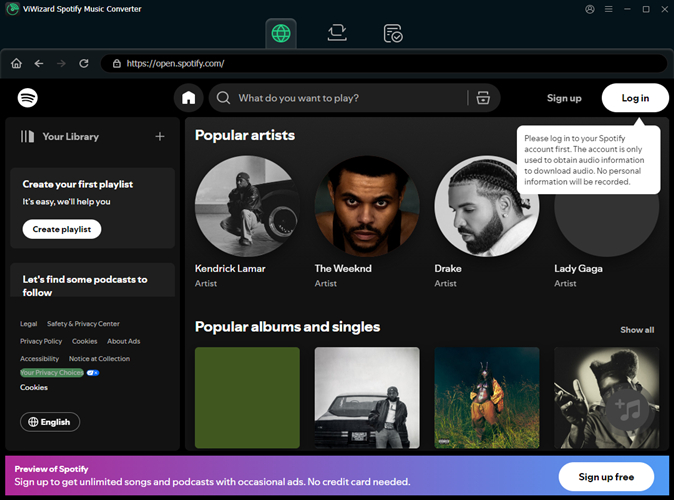
2. ViWizard Spotify Music Converter
ViWizard is a fantastic runner-up that offers a very streamlined experience. It is highly efficient at grabbing podcast tracks and converting them into unprotected audio formats. ViWizard provides excellent output settings, allowing users to tweak the sample rate and bit rate before initiating the download. While its interface looks slightly more traditional, the underlying conversion engine is rock solid, ensuring no audio glitches or dropouts during the podcast extraction.
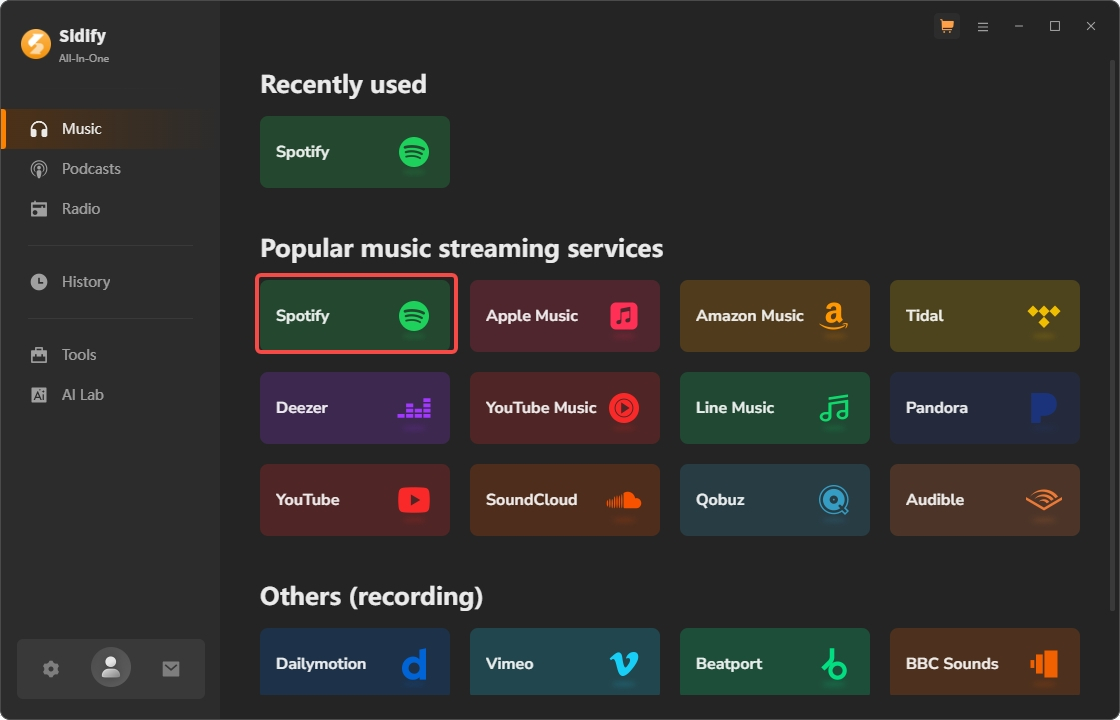
3. Sidify Music Converter
Sidify is one of the most recognized names in the audio conversion space. It offers a highly polished, modern UI that makes grabbing podcasts incredibly intuitive. You can simply drag and drop a podcast episode or playlist link into the software. Sidify also includes a built-in CD burner and an ID3 tag editor. However, its premium price tag might be a bit steep for users who only want to download an occasional podcast.
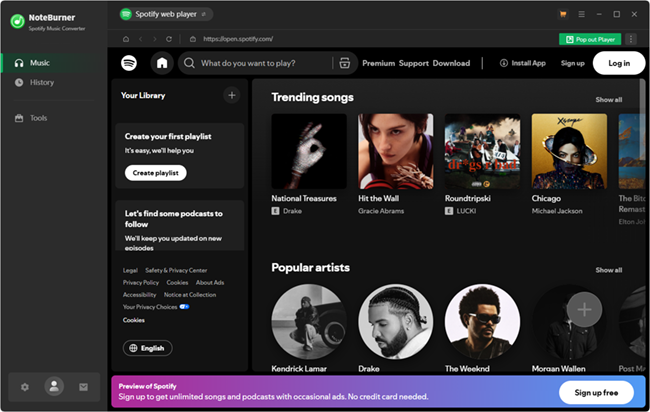
4. NoteBurner Spotify Audio Converter
NoteBurner has been in the audio tool market for years, and its Spotify converter reflects that maturity. It effectively bypasses app-bound playback limits, offering clean conversions to MP3, ALAC, and FLAC. NoteBurner is particularly praised for its stability; it rarely crashes during massive batch conversions. It’s an excellent choice if you are backing up hundreds of podcast episodes overnight.
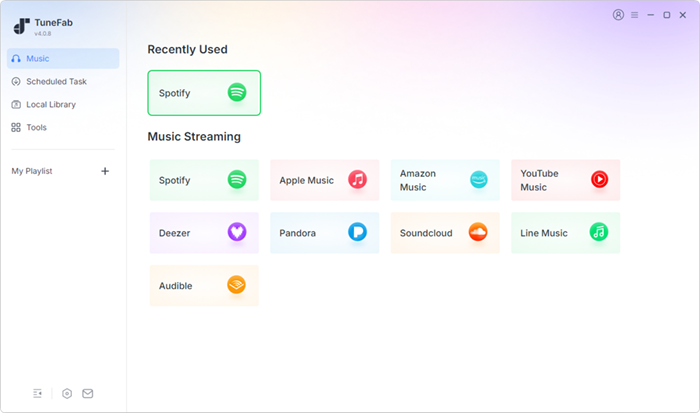
5. TuneFab Spotify Music Converter
TuneFab operates slightly differently by incorporating a built-in web player. Instead of requiring the official desktop app to run in the background, you log into your account directly within TuneFab’s interface. You can browse podcasts natively and hit the download button next to any episode. This makes the workflow incredibly smooth, though web-player-based tools sometimes struggle with the highest tier of lossless quality compared to app-based extractors like AudKit.
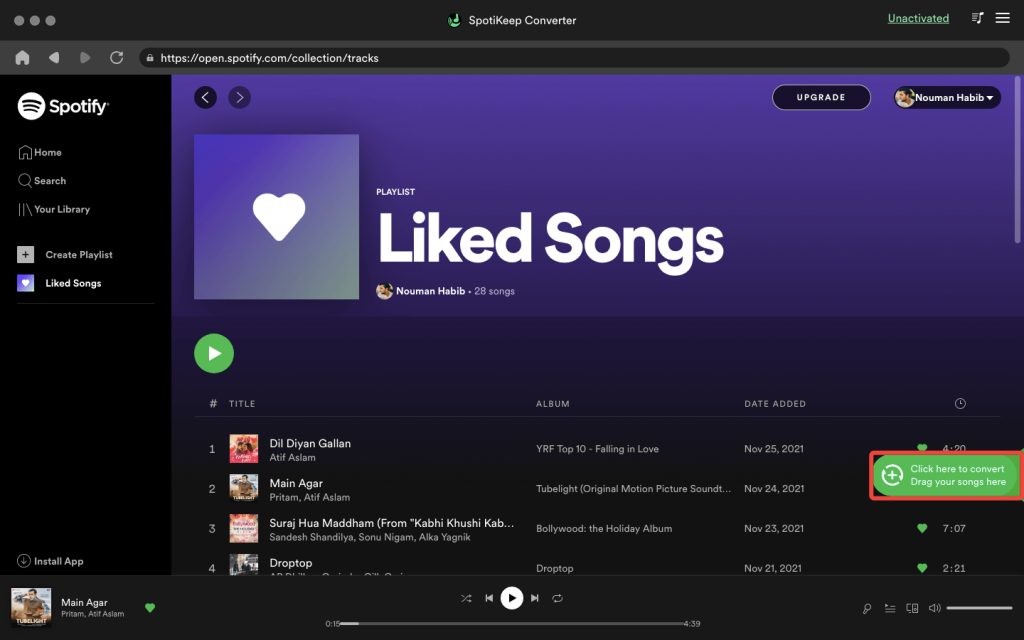
6. SpotiKeep Converter
SpotiKeep is designed with beginners in mind. It removes all the complicated audio jargon and simply gives you a clean interface to paste your podcast URLs. It strips away the proprietary format restrictions and outputs standard MP3 or M4A files. While it lacks some of the deep customization options (like tweaking variable bitrates) that power users might want, it does exactly what it promises without any fuss.
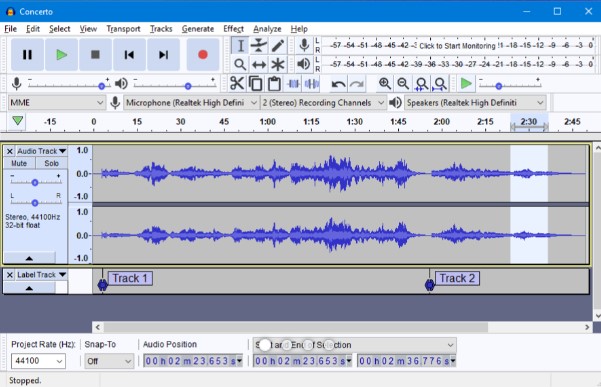
7. Audacity (Best Free Audio Recorder)
If you are on a strict zero-dollar budget and have some technical skills, Audacity is an open-source powerhouse. Unlike the tools above, Audacity doesn’t “download” the podcast; it records the audio stream directly from your computer’s sound card in real-time.
- Pros: 100% free; massive editing capabilities.
- Cons: Real-time recording means a 2-hour podcast takes 2 hours to capture; you must manually type in all ID3 tags and metadata.
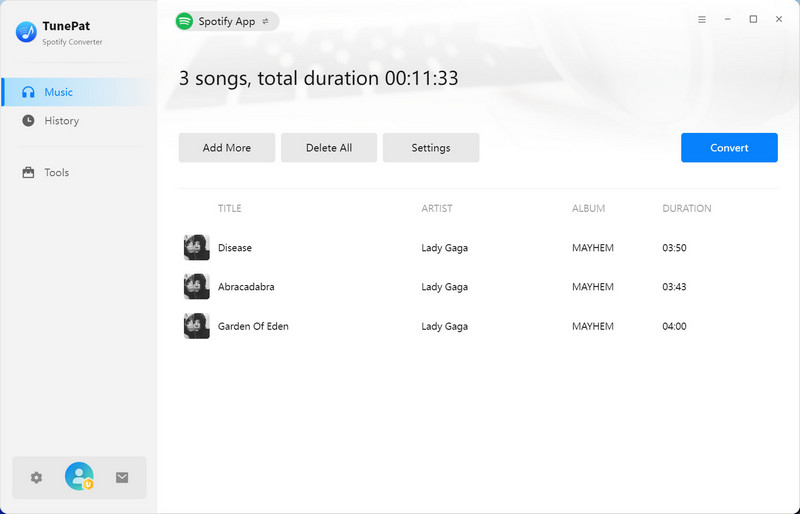
8. TunePat Spotify Converter
Similar to TuneFab, TunePat uses an embedded web player technology. It boasts a 10X conversion speed under ideal network conditions. TunePat is a solid choice for users who do not want to install the official streaming app on their hard drive. It successfully preserves podcast covers and episode descriptions, making it a reliable mid-tier option.
9. AllToMP3 (Best Free Open-Source Downloader)
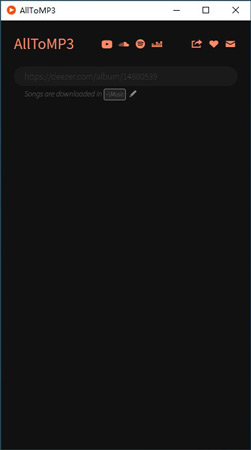
AllToMP3 is an open-source desktop application that accepts URLs from various platforms and searches for matching audio on open servers to download.
- Pros: Free, lightweight, and supports multiple platforms.
- Cons: Because it relies on matching the audio with third-party databases, it often struggles to find niche or exclusive podcasts. The conversion success rate is significantly lower than premium tools.
10. Cinch Audio Recorder
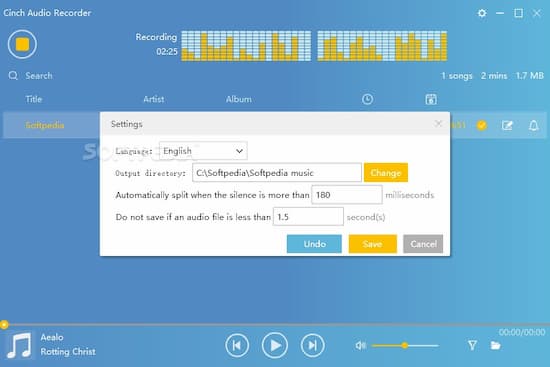
Cinch is another recording-based software, but much more automated than Audacity. It operates by capturing the raw audio data as it hits your sound card. Cinch is great because it automatically attempts to identify the track and tag it. However, because it records in real-time, it is not suitable for users looking to quickly batch-download large podcast libraries.
How to Download Spotify Podcasts to MP3 (Using AudKit)
If you want to move your favorite podcasts to a smartwatch or MP3 player, here is a quick guide on how to do it using our top pick, AudKit Spotify Music Downloader.
Step 1: Import the Podcast Episodes
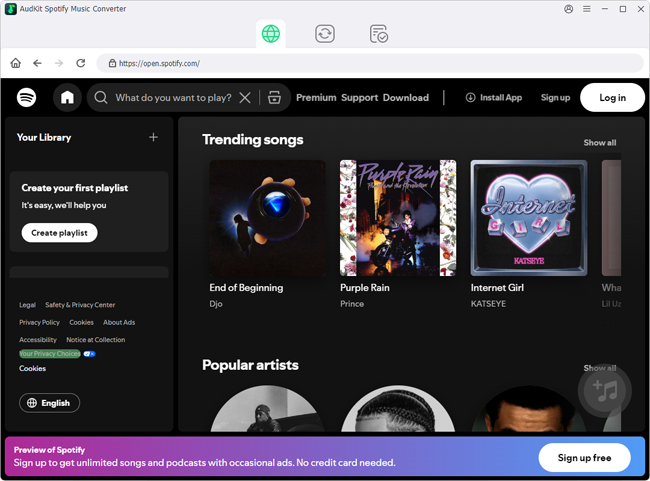
Launch AudKit and your Spotify app will open automatically. Navigate to the podcast you want to download. Drag and drop the podcast episode (or the whole show) directly into the AudKit interface. Alternatively, copy the podcast link and paste it into AudKit’s search bar, then click the “+” button.
Step 2: Customize Output Parameters for Podcasts
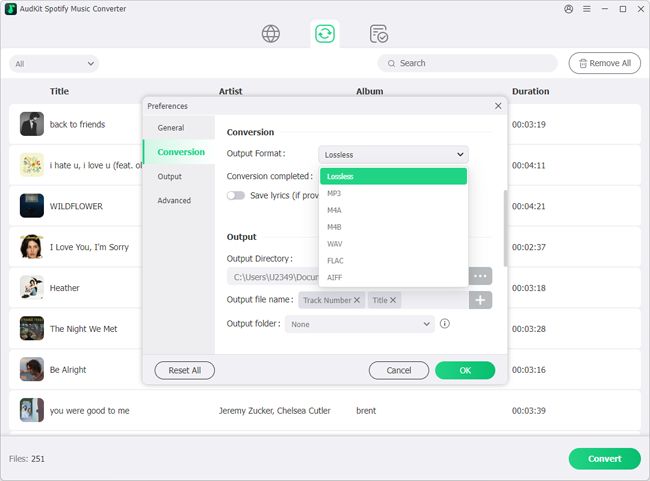
Click on the Menu icon and select Preferences. Navigate to the Convert tab. For spoken-word podcasts, MP3 format at an audio channel of 2, sample rate of 44100Hz, and a bit rate of 192kbps to 320kbps is perfect. This ensures clear voices and manageable file sizes.
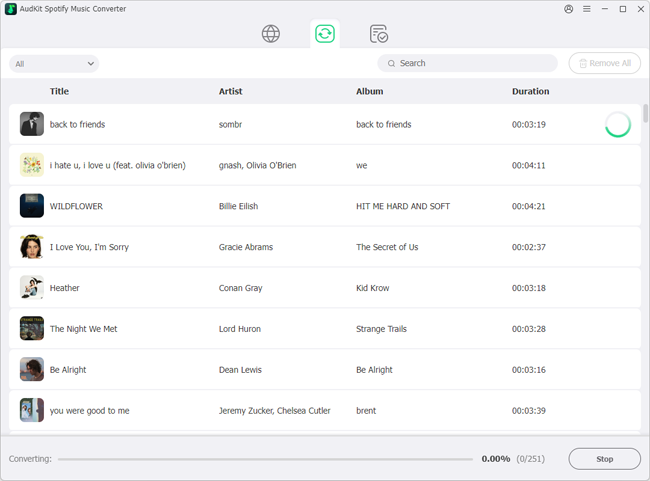
Step 3: Start the Conversion Process Click the “Convert”
button at the bottom right. AudKit will begin extracting the podcast audio at 5X speed. Once finished, click the “Converted” folder icon to locate your standard, unrestricted MP3 files, complete with all episode metadata. You are now free to transfer them anywhere via USB!
What to Look for in a Good Podcast Downloader?
When choosing a tool to bypass format restrictions, keep these technical criteria in mind:
- Metadata Retention: Podcasts rely heavily on episode titles, release dates, and cover art. If a tool loses ID3 tags, your MP3 player will just show “Unknown Track 1,” which is a nightmare for podcast listeners.
- Batch Conversion Support: Podcasts often have hundreds of episodes. You need a tool that can queue up multiple files simultaneously.
- Lossless Output Quality: Look for tools that support up to 320kbps bitrates to ensure the voices sound crisp and natural, without digital compression artifacts.
FAQs About Spotify Podcast Downloader
Can I download Spotify podcasts without a Premium account?
Yes. Dedicated tools like AudKit Spotify Music Downloader allow Free users to download podcasts locally. The software extracts the audio stream directly, bypassing the app’s requirement for a Premium subscription for offline caching.
What is the best audio format for saving podcasts?
For maximum compatibility across all devices (car stereos, older iPods, smartwatches), MP3 is the best choice. Spoken-word podcasts sound excellent at 192kbps, though you can use 320kbps if the podcast features a lot of high-fidelity music.
Are downloaded podcasts kept permanently?
Yes. Once you convert the podcast to a local file (like MP3 or FLAC) using a converter, it is saved directly to your computer’s hard drive. It will not be deleted even if the creator removes the episode from the platform or if you cancel your subscription.
Conclusion
Breaking free from app-bound playback limits changes the way you consume audio. While the native app is great for streaming, true offline freedom requires a dedicated format converter. Whether you opt for an open-source recorder or a premium extractor, having local MP3 files ensures your favorite episodes are yours to keep forever. For the best blend of speed, lossless audio quality, and seamless metadata tagging, AudKit Spotify Music Downloader remains the most powerful and reliable tool for building your ultimate offline podcast library.

Andrew Rowley
 Staff Editor
Andrew Rowley has over 10 years of writing experience and is good at writing in audio technology and audio converter software. He can provide high-quality articles to help streaming music lovers explore music better.