




Key Takeaways
- AudiCable Audio Recorder is an all-in-one capture tool that supports multiple platforms (Spotify, Apple Music, Tidal) and exports tracks in universal formats like MP3, FLAC, and WAV.
- AudiCable captures audio in real-time (1x speed), ensuring 100% original audio quality while automatically preserving essential ID3 tags and metadata.
- For users seeking a faster, Spotify-specific solution, AudKit Spotify Music Converter is the best alternative, offering 5x rapid batch conversion without sacrificing audio fidelity.
- Both tools bypass restrictive format limitations, allowing for true offline playback on MP3 players, car stereos, and DJ software.
If you are a heavy user of streaming music platforms, you already know the frustrating reality: you do not actually own your music. You are simply renting it. The moment your subscription expires, or you travel to an area with spotty internet coverage, your carefully curated playlists vanish. Worse yet, trying to play those tracks on a dedicated MP3 player, a DJ software deck, or your car’s USB drive is impossible due to strict platform playback restrictions.
Over the years, I have tested dozens of audio capture tools promising to solve this issue. Many of them are clunky, ruin the audio quality, or leave you with a messy folder of tracks named “Track01.mp3” with no album art. Recently, AudiCable Audio Recorder has been making waves in the community as a premium solution. But does it actually live up to the hype? And what if you need something faster specifically for Spotify?
Let’s dive into this comprehensive review of AudiCable, and explore its most powerful alternative.
- Part 1. What is AudiCable Audio Recorder?
- Part 2. AudiCable’s Standout Features
- Part 3. How to Save Spotify Music Locally with AudiCable
- Part 4. The Pros and Cons of AudiCable
- Part 5. The Best Alternative: AudKit Spotify Music Converter🔥
- Part 6. FAQs About Audicable Audio Recorder
Part 1. What is AudiCable Audio Recorder?
At its core, AudiCable Audio Recorder is a dedicated audio capture software designed for both Windows and Mac operating systems. Instead of acting like a generic system audio recorder (which often captures annoying notification sounds from your computer), AudiCable creates a clean, isolated recording environment.
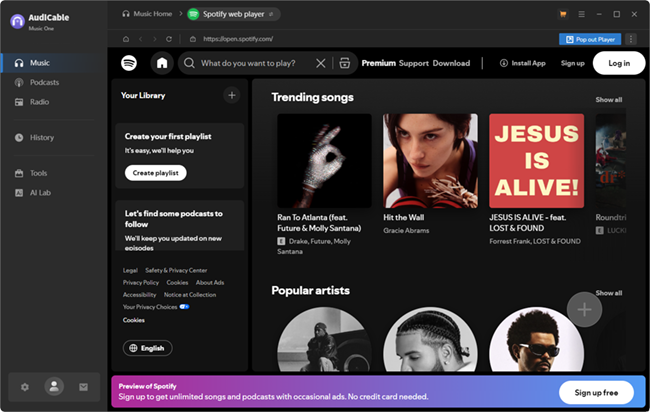
It works by integrating with the web players or desktop applications of major streaming services. As the music plays, AudiCable captures the audio stream and saves it directly to your hard drive in standard, accessible formats. It bridges the gap between streaming convenience and true local file ownership.
Part 2. AudiCable’s Standout Features
As someone who obsesses over audio bitrates and clean metadata, I look for very specific things in an audio tool. Here is how AudiCable stacks up.
1. Massive Multi-Platform Support
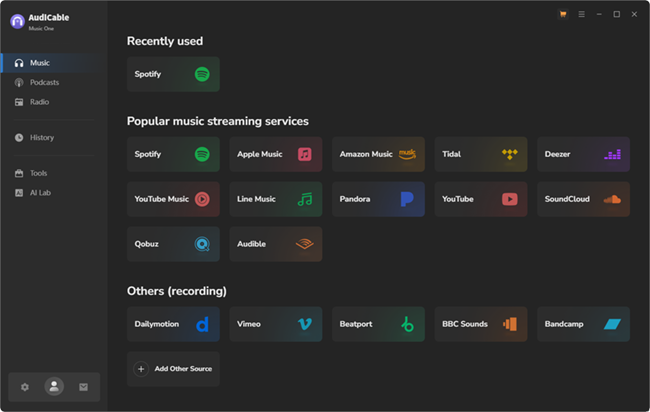
You don’t need a separate tool for every streaming service . AudiCable is essentially a Swiss Army knife. From the main interface, you can access Spotify, Apple Music, Amazon Music, Tidal, Deezer, YouTube Music, and Pandora. If a service isn’t listed, you can even manually add the website URL to record from it. This flexibility is a massive win if you frequently switch between platforms.
2. High-Fidelity Output & Format Versatility
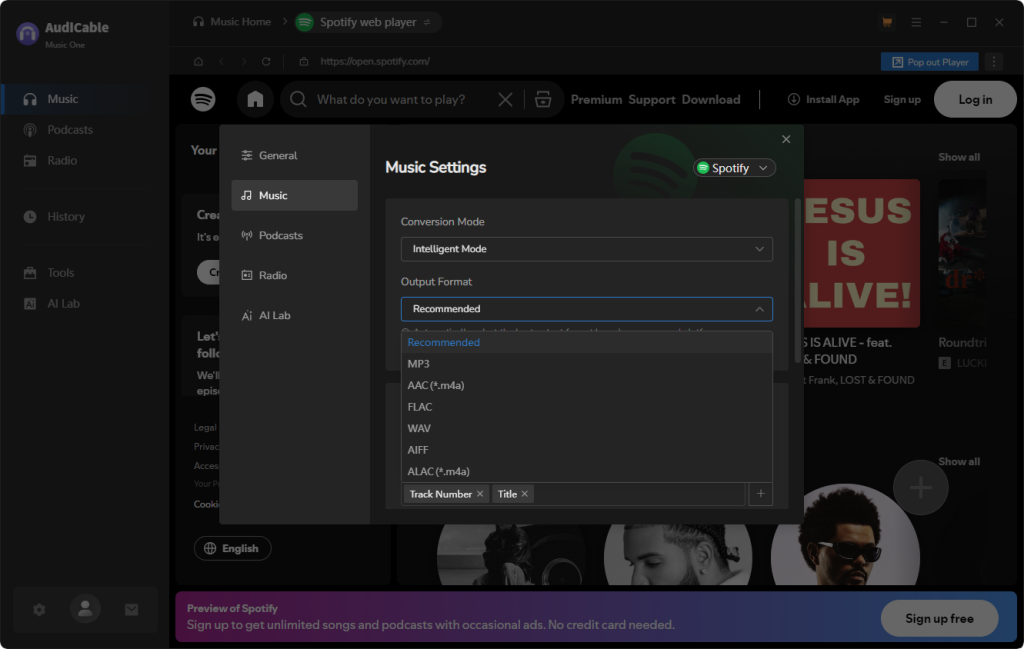
Audio quality is non-negotiable. If you are starting with a high-quality stream, you want to keep it that way. AudiCable allows you to capture audio and output it in several formats:
- MP3 & AAC: Perfect for saving space while maintaining a solid 320kbps bitrate.
- WAV, FLAC, ALAC, AIFF: Ideal for audiophiles. These lossless formats ensure you capture the uncompressed depth of platforms like Tidal or Apple Music Lossless.
3. Smart Metadata & ID3 Tags Retention
There is nothing more painful than manually renaming hundreds of downloaded songs. AudiCable uses advanced audio recognition technology to identify the track currently playing. It automatically embeds the ID3 tags—including the track title, artist name, album name, genre, track number, and even the high-resolution album cover art. Your local library will look just as organized as your streaming app.
Part 3. How to Save Spotify Music Locally with AudiCable
Using AudiCable is surprisingly intuitive. You don’t need a degree in computer science to figure it out. Here is a quick step-by-step breakdown of how the workflow actually looks.
Step 1: Launch and Select Your Platform
Open AudiCable. You will be greeted by a dashboard displaying various streaming icons. Click on the platform you want to record from.
Step 2: Tweak Your Output Settings
Before you hit record, click the Settings gear icon in the top right corner. Here, you can define your output parameters.
- Output Format: Choose MP3 for general use, or FLAC for lossless quality.
- Output Quality: Set this to 320kbps for maximum MP3 fidelity.
Step 3: Play and Record
Log into your streaming account via the built-in web browser. Navigate to your desired playlist and hit play. AudiCable will automatically detect the music and start the recording process in real-time, splitting tracks accurately.
Part 4. The Pros and Cons of AudiCable
To give you a fair and balanced view, here is a breakdown of the pros and cons based on my extensive testing.
The Pros:
- All-in-one solution: Supports almost every major streaming service.
- Exceptional audio quality: Flawlessly captures up to 320kbps and lossless audio.
- Clean recordings: Isolates the audio stream so system sounds aren’t recorded.
The Cons:
- Real-time recording speed (1x): Because it records the audio stream as it plays, a 3-minute song takes 3 minutes to process. While this ensures stability, batch conversion of massive 500-song playlists will take hours and is best left running overnight.
Part 5. The Best Alternative: AudKit Spotify Music Converter
If that 1x recording speed is a dealbreaker for you, and your primary music library lives entirely on Spotify, then you need a highly specialized tool. Enter AudKit Spotify Music Converter.
While AudiCable is a fantastic “jack of all trades,” AudKit is a master of one. It is engineered from the ground up to handle Spotify’s specific ecosystem, making it the go-to choice for DJs, playlist curators, and power users who need local files fast.
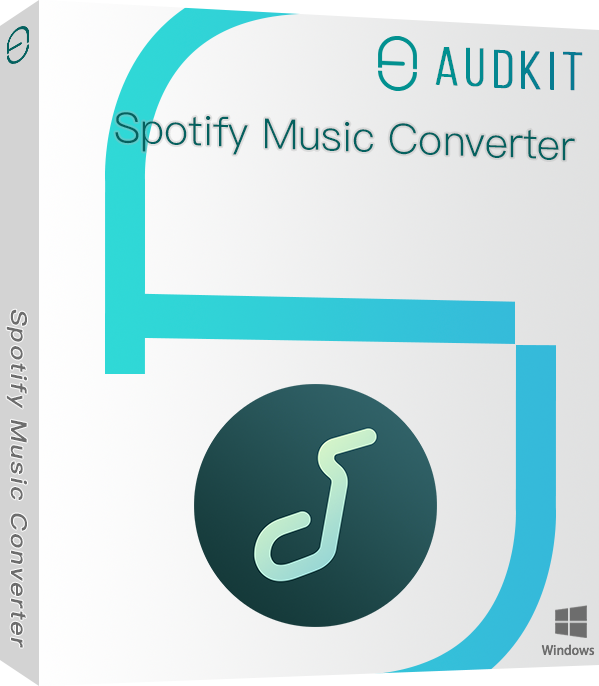
Main Features of AudKit Spotify Music Converter
- Easily download any Spotify audio content in 320kbps
- Convert Spotify music to MP3/AAC/FLAC/WAV/M4A/M4B
- Keep full ID3 tags like artist, year, cover, title, etc.
- Batch download at a fast 5X conversion speed
- Help listen to Spotify music offline anywhere
Why Choose AudKit?
- Lightning-Fast 5x Speed: This is the biggest differentiator. AudKit does not rely on real-time playback recording. Instead, it utilizes advanced backend processing to convert your tracks at up to 5x speed. A 3-minute song takes just seconds to process. If you have massive playlists, AudKit will save you hours of waiting.
- Lossless Spotify Conversion: Just like AudiCable, AudKit supports exporting to MP3, AAC, FLAC, WAV, and more. It accurately extracts the 320kbps audio stream from Spotify without any quality degradation.
- Flawless Batch Conversion: You can literally drag and drop an entire Spotify playlist link into AudKit’s interface, hit convert, and walk away. It handles bulk tasks effortlessly while keeping 100% of the original ID3 tags intact.
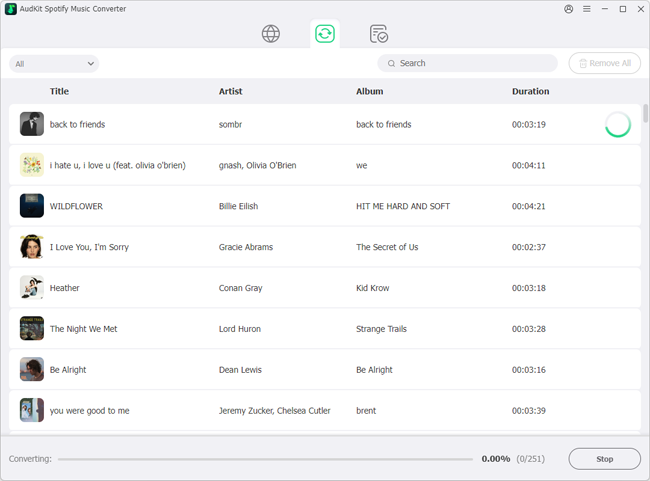
How to use AudKit: Simply open the software, log into your Spotify account and search a song, album, or playlist from the Spotify directly in AudKit’s main window, select your output format (e.g., MP3 at 320kbps), and click “Convert.” It is incredibly streamlined.
Part 6. FAQs About Audicable Audio Recorder
1. Do these tools preserve the original audio quality?
Yes. Both AudiCable and AudKit are designed to capture the highest available audio stream. If you are streaming a 320kbps track and set your output to 320kbps MP3, you will get a near-perfect 1:1 file. For high-res platforms, selecting FLAC or WAV will preserve the lossless quality.
2. How does the processing speed compare between AudiCable and AudKit?
AudiCable operates via real-time recording (1x speed), meaning a one-hour playlist takes one hour to capture. AudKit uses specialized extraction technology for Spotify, allowing it to operate at 5x speed, converting that same one-hour playlist in about 12 minutes.
3. Is it legal to use these tools to save streaming music?
Both tools are designed strictly for personal, non-commercial use. Saving streaming music for your own offline listening (often referred to as time-shifting or format-shifting) falls under fair use in many jurisdictions. However, you should never distribute, sell, or share these files publicly. Always review the terms of service of the streaming platform you are using.
Final Verdict
Taking back control of your music library is incredibly liberating. Which tool you choose ultimately depends on your specific needs.
If you are a music nomad who jumps between Spotify, Tidal, Apple Music, and Amazon Music, AudiCable Audio Recorder is the ultimate, versatile companion. The 1x recording speed requires a bit of patience, but the multi-platform support and pristine quality make it a powerhouse.
However, if you are firmly rooted in the Spotify ecosystem and value your time, AudKit Spotify Music Converter is the undeniable winner. Its drag-and-drop simplicity and 5x batch conversion speed make building a massive local offline library an absolute breeze.
Have you tried either of these tools, or do you have another favorite method for managing your offline music? Let me know in the comments below!

Andrew Rowley
 Staff Editor
Andrew Rowley has over 10 years of writing experience and is good at writing in audio technology and audio converter software. He can provide high-quality articles to help streaming music lovers explore music better.