




Quick Summary & Verdict
Don’t have time to read the full article? Here is the TL;DR of our TuneFab Spotify Music Converter review:
- What it does: It downloads and converts Spotify songs to DRM-free formats (MP3, FLAC, etc.) at up to 320kbps quality, allowing you to keep music forever.
- The Good: TuneFab is incredibly easy to use thanks to a built-in Spotify Web Player. You don’t even need the official Spotify app installed.
- The Bad: The free trial is severely limited (only converts 3 minutes per song), and the lifetime license is relatively expensive. It can also occasionally crash if Spotify updates its web player code.
- The Better Alternative: While TuneFab is great for convenience, we found that the AudKit Spotify Music Converter is the superior overall choice. AudKit offers better stability for large playlists, more output formats (like M4B for audiobooks), and a cheaper lifetime license.
Read on for the full breakdown, feature tests, and a detailed comparison table.
If you are an avid music listener, you likely know the frustration of Spotify’s offline listening restrictions. Even with a Premium subscription, the music you download is encrypted. You cannot transfer these files to an MP3 player, burn them to a CD, or use them in DJ mixing software. You simply rent the music; you do not own it.
This is where third-party software steps in. In this comprehensive TuneFab Spotify Music Converter review, we will take an in-depth look at one of the most popular tools on the market designed to solve this exact problem. We will explore its features, test its usability, break down its pricing, and answer the critical question: is it actually worth your money?
What is TuneFab Spotify Music Converter?
TuneFab Spotify Music Converter is a dedicated desktop application available for both Windows and macOS. Its primary function is to bypass DRM protection and convert Spotify songs, playlists, albums, and podcasts into common, DRM-free audio formats like MP3, M4A, FLAC, and WAV.
Unlike traditional audio recorders that capture sound as it plays—often resulting in quality loss and requiring you to sit through the entire song—TuneFab extracts the audio data directly. This allows users to build a permanent local library of high-quality music that can be played on any device, entirely independent of the Spotify app.
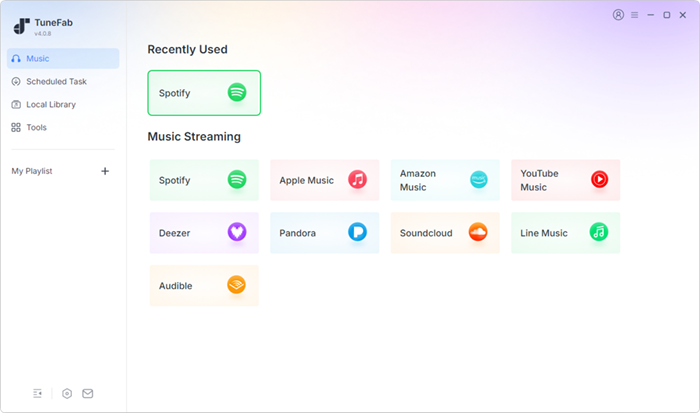
Standout Features of TuneFab Spotify Music Converter
To determine if this software stands out in a crowded market, we need to examine its core functionalities. Here is a quick breakdown of what defines the TuneFab experience:
- Built-in Spotify Web Player: You don’t need the official Spotify app installed. You can log in, browse, and add songs directly within TuneFab, eliminating the tedious copy-and-paste URL process.
- Lossless Audio & Multiple Formats: Convert Spotify to MP3, M4A, WAV, or FLAC. It supports customizable bitrates up to 320 kbps and sample rates up to 48,000 Hz, ensuring pristine audio quality that matches Spotify Premium.
- 35X Batch Conversion Speed: TuneFab processes downloads at up to 35X speed. You can queue up massive playlists and let the software run in the background, saving you hours of waiting.
- ID3 Tags Preservation: It automatically retains essential metadata, including song titles, artists, albums, and cover art, keeping your new internet-free library perfectly organized.
How to Use TuneFab to Convert Spotify to MP3
Using the software is remarkably straightforward, even for those who are not particularly tech-savvy. Here is a quick step-by-step guide on how to convert Spotify to MP3 using TuneFab:
Step 1. Download and Install
Download the correct version (Windows or Mac) from the official TuneFab website and install it.
Step 2. Log In
Open the application and click on the “Open the Spotify web player” button. Log in using your standard Spotify credentials.
Step 3. Adjust Settings
Before converting, go to the “Preferences” menu (usually found in the top right corner). Here, set your desired output format (e.g., MP3) and adjust the bitrate to 320 kbps for the best audio quality. Choose your output folder.
Step 4. Select Music
Browse the web player for the playlist, album, or song you want. Click the floating “+” icon on the right side of the screen to add the tracks to your conversion list.
Step 5. Convert
Review your selected tracks and click the “Convert All” button. The software will process the files and save them to your designated local folder.
TuneFab Pricing: Free Trial vs. Premium Plans
TuneFab is premium software, but it does offer a free trial. However, it is vital to understand the limitations of this trial.
The free version restricts you to converting only the first 3 minutes of each song, and it is only valid for 30 days. This trial is strictly meant for you to test the software’s compatibility with your system and verify the audio quality. It is not a viable long-term free solution.
If you decide to upgrade, TuneFab offers several subscription tiers (prices are subject to change):
- 1-Month Subscription: Usually around $25.95. Good for a one-off project.
- 1-Year Subscription: Usually around $79.95. Better value for ongoing use.
- Lifetime License: Usually around $99.95. The best value if you plan to use the software for years to come.
Pros and Cons of TuneFab Spotify Music Converter
To keep this review objective, here is a balanced look at its strengths and weaknesses.
Pros:
- Incredibly user-friendly interface with the embedded web player.
- No need to install the official Spotify application.
- Excellent retention of audio quality (up to 320kbps).
- Fast batch conversion saves hours of time.
- Preserves all essential ID3 tags and album art.
Cons:
- The free trial is highly restrictive (3-minute limit per song).
- The monthly subscription can be expensive for casual users.
- Requires a stable internet connection to function properly.
The Best TuneFab Alternative: Why AudKit Spotify Music Converter is Better
While TuneFab is an excellent choice for its built-in web player, a truly objective review must acknowledge the competition. If you are looking for a reliable TuneFab alternative, the AudKit Spotify Music Converter is currently the best option on the market—and for power users, it is arguably the superior software.
Just like TuneFab, AudKit has recently upgraded its software to feature a built-in Spotify Web Player. This means both programs now offer the exact same seamless, easy-to-use experience where you don’t need the official Spotify desktop app installed. You simply log in, browse, and click to convert.
Since they share the same core architecture and both offer lightning-fast conversion speeds with 100% lossless audio quality, why is AudKit considered the better alternative? The difference comes down to versatility and pricing. AudKit offers a wider variety of output formats like Spotify lossless, MP3, M4A, etc., making it highly versatile for users who listen to audiobooks or podcasts and need specific file types like AAC or M4B. Additionally, its pricing structure is slightly more user-friendly.
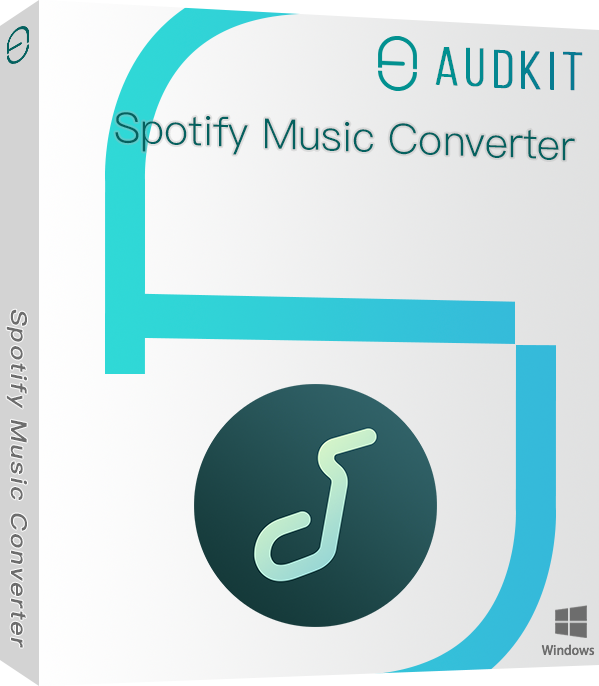
Main Features of AudKit Spotify Music Converter
- Easily download any Spotify audio content in 320kbps
- Convert Spotify music to MP3/AAC/FLAC/WAV/M4A/M4B
- Keep full ID3 tags like artist, year, cover, title, etc.
- Batch download at a fast 5X conversion speed
- Help listen to Spotify music offline anywhere
Here is a direct comparison table showing exactly why AudKit often edges out TuneFab:
| Feature / Metric | TuneFab Spotify Music Converter | AudKit Spotify Music Converter | The Winner & Why |
|---|---|---|---|
| Source Integration | Built-in Spotify Web Player | Official Spotify Desktop App | AudKit. The desktop app integration is significantly more stable for handling playlists with 500+ songs without crashing. |
| Output Formats | MP3, M4A, WAV, FLAC | MP3, AAC, M4A, M4B, WAV, FLAC | AudKit. It offers AAC and M4B formats, which are essential for users converting Spotify audiobooks and podcasts. |
| Conversion Stability | Good, but dependent on web player updates | Excellent, highly stable native app integration | AudKit. Less prone to breaking when Spotify updates its backend web code. |
| Audio Quality | Up to 320kbps (Lossless) | Up to 320kbps (Lossless) | Tie. Both deliver pristine, high-fidelity audio that matches Spotify Premium. |
| Lifetime Pricing | ~$99.95 | ~$89.95 | AudKit. It generally offers a slightly more affordable lifetime license, providing better long-term value. |
If you prefer a highly stable, traditional drag-and-drop workflow and want more output options for a slightly better price, AudKit is the superior choice.
FAQs About TuneFabe Spotify Music Converter
To further clarify how this software works, here are answers to some of the most common questions users have before purchasing.
Do I need Spotify Premium to use TuneFab Spotify Music Converter?
No, you do not. One of the biggest advantages of TuneFab is that it works perfectly with a free Spotify account. It will automatically filter out the ads and allow you to download the tracks for offline listening, saving you the cost of a monthly Premium subscription.
Can I install TuneFab on my iPhone or Android device?
No, TuneFab is currently only available as a desktop application for Windows and macOS. However, once you convert Spotify to MP3 on your computer, you can easily transfer those audio files to your smartphone, tablet, or MP3 player using a USB cable or a cloud storage service.
Does TuneFab reduce the audio quality of Spotify songs?
No, as long as you configure the settings correctly. If you go into the preferences menu and set the output bitrate to 320 kbps and the sample rate to 48,000 Hz, the converted files will retain the exact same lossless quality as a high-fidelity Spotify stream.
Final Verdict
Wrapping up this comprehensive review, the conclusion is quite clear. If you are looking for a reliable, fast, and high-quality tool to back up your Spotify playlists for personal use, TuneFab is a fantastic option. The integration of the Spotify Web Player makes it incredibly intuitive, removing the clunky copy-and-paste mechanics found in older software.
However, as our comparison shows, it is not the only top-tier player in the game. If you prioritize maximum stability for large playlists, require audiobook-friendly formats like M4B, and want to save a little money on a lifetime license, the AudKit Spotify Music Converter stands out as the better overall investment.
Whether you choose TuneFab for its all-in-one convenience or AudKit for its robust stability, both tools will successfully give you the freedom to play your favorite Spotify tracks on any device, forever.

Andrew Rowley
 Staff Editor
Andrew Rowley has over 10 years of writing experience and is good at writing in audio technology and audio converter software. He can provide high-quality articles to help streaming music lovers explore music better.