




Spotify Music Converter

Easily Download Spotify Songs, Audiobooks, Playlists, Albums, Podcasts, etc. at 320kbps
AudKit Spotify Music Converter supports different types of Spotify audio tracks. It enables both Mac and Windows users to download over 100 million songs, playlists, albums, podcasts, audiobooks, and radio from Spotify with no ads at 320kbps.
Furthermore, you can add unlimited songs in one Spotify playlist to this smart Spotify downloader at once load since there is no upper limit to downloading Spotify music. So, import individual Spotify songs or a full Spotify playlist from your free or premium account into this Spotify music downloader, and it will batch download Spotify playlist on Mac and PC in just one click.

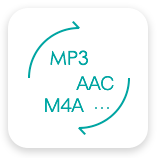
Convert Spotify to MP3, AAC, M4A, etc
Besides, AudKit Spotify to MP3 Converter can not only convert Spotify music to MP3/AAC/M4A/M4B at 320kbps but also download Spotify music to WAV and FLAC at up to 32-bit/192kHz.
With it, you can play Spotify tracks on all devices and players without the Spotify app even if you have canceled your Spotify subscription.

5X Speed to Download Spotify Music
Also, the conversion speed of the AudKit Spotify Music Converter can reach 5X or even faster on Windows computers. That means a 5-minute song only takes a 1-min conversion period.
But please note that the Mac version of this professional Spotify song downloader is limited to 1X speed on macOS 10.14 and above.
Keep High Sound Quality and Full ID3 Tags for Managing Local Library
Likewise, it is worth mentioning that, AudKit Spotilab for Windows and Mac, equipped with the most advanced converting technology, is up to keeping high audio quality from original songs. This highlight feature makes it stand out from traditional Spotify music recorder that exports lossy Spotify playlists.
The raw metadata of Spotify music is completely preserved in the output files, including artists, titles, albums, album art, track numbers, and such basic track info. Therefore, you can manage and organize the local Spotify music library with ease by viewing the intuitive ID3 tags in this brilliant AudKit Spotify converter.


Listen to Ad-free Spotify Music Offline without Premium
Plus, the AudKit Spotify Music Converter endows you with an alternative to enjoy the original Spotify Premium features. The songs on Spotify can be downloaded on the local computer even with a free account. It empowers you to listen to Spotify music offline without Premium.
Besides, you can enjoy Spotify music without ad interruption. Specifically, Spotify songs can be transferred and streamed to any device offline with the aid of this Spotify downloader. You can also play Spotify playlists in the list order or skip Spotify songs without limits.
Customize Spotify Output Settings for Multi-Devices
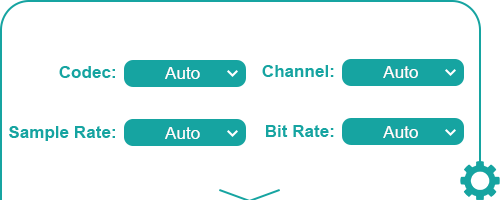
Spotify encrypts any audio in a special OGG Vorbis format, which is incompatible with many commonly used players & devices. Thus, before converting Spotify songs in AudKit Spotify Music Converter, you can reset the output audio parameters like format, bitrate, sample rate, channel, codec, and so forth.
This way, you can configure your own settings for the loved songs. Then it’s free to import Spotify files to MP3 players, car audio systems, etc. for playback, and add Spotify music to the video editor, DJ software, etc. for editing without the dedicated app integration.
Listen to Ad-free Spotify Music Offline without Premium
Step 1: Download and install AudKit Spotify Music Converter.
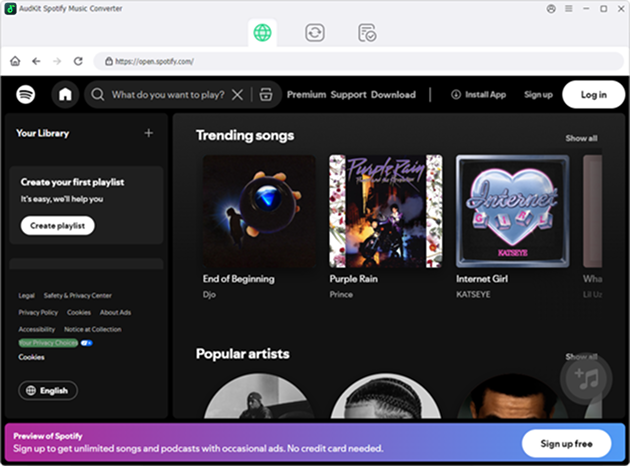
Download and install AudKit Spotify Music Converter on your computer first. When the program is installed, launch it and login to your Spotify account.
Step 2: Import Spotify music to the program.
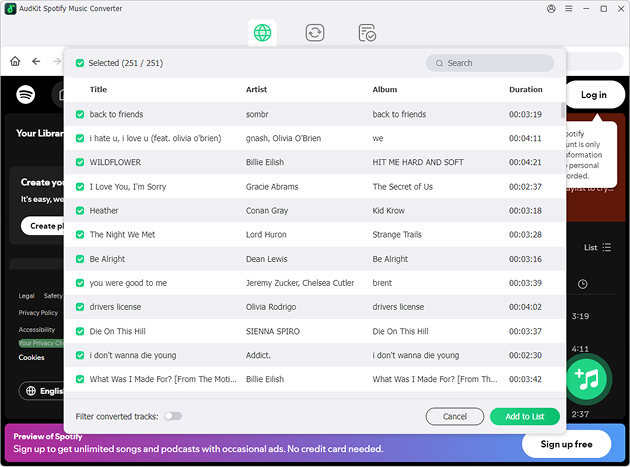
In the built-in Spotify web player, you can search the songs that you want to download. Just click on the "+" button to add them to the download list.
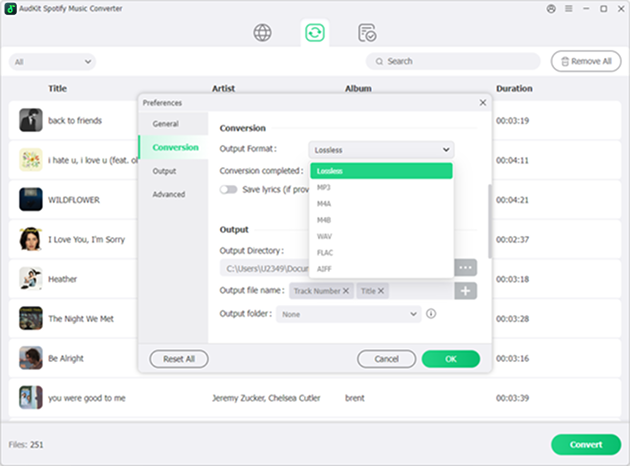
Step 3. Set output format.
Before converting, you can set the output format. Just select the settings button at the top-right corner, and click on the Preference option. And set the output format in the Conversion section.
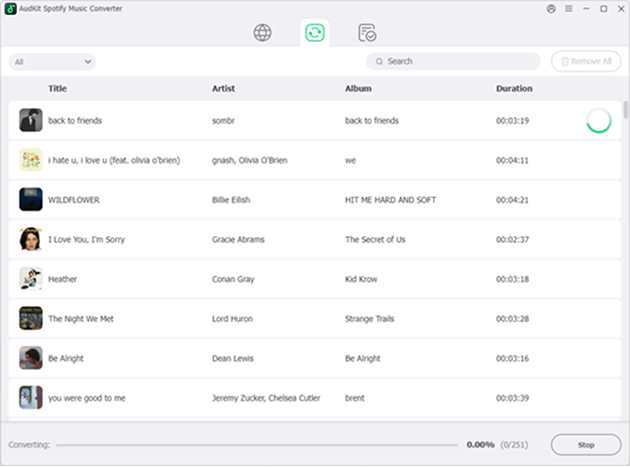
Step 4: Convert Spotify music for offline listening.
Click on the Convert button, and AudKit Spotify Music Converter will start to convert the Spotify songs to your computer. You can find the converted songs in the converted list.

Excellent Compatibility
AudKit SpotiLab is fully compatible with all versions of the Spotify desktop clients, no matter whether it is downloaded from the official site or Microsoft Store.

Easy Operation
With a well-designed and intuitive interface, anyone can easily operate this Spotify downloader, no matter if you use Windows 7-11 or macOS 10.8-14.

Free Support & Updates
Once purchasing this Spotify converter, you are eligible to enjoy lifetime free upgrades and 24/7 technical support for all issues you encounter.
FAQS
Is it legal to use AudKit Spotify Music Converter?
Yes, it is legal as long as it is strictly for personal and educational use. You can use AudKit Spotify Music Converter to download and back up your favorite Spotify songs for offline playback on your own devices. However, using the software to distribute, share, or monetize the downloaded copyrighted music for commercial purposes is strictly prohibited.
Do I need a Premium account to download music with AudKit?
No, a Spotify Premium subscription is not required. One of the best features of AudKit Spotify Music Converter is that it allows both Spotify Free and Premium users to download songs, albums, playlists, and podcasts to their local computers. Furthermore, it automatically removes ads, allowing Free users to enjoy an ad-free offline listening experience.
What output audio formats are supported by this converter?
AudKit provides multiple widely-used output formats to ensure compatibility with any device or media player. You can choose to convert Spotify tracks to MP3, AAC, M4A, and M4B at a lossless 320kbps bitrate. For users seeking audiophile-level quality, it also supports downloading Spotify music to FLAC and WAV formats at up to 32-bit/192kHz.
How fast does AudKit convert Spotify music?
The conversion speed depends on your operating system. For Windows users, the software supports an advanced 5X or even faster conversion speed, meaning a 5-minute track takes only about 1 minute to convert. For Mac users running macOS 10.14 and above, the conversion speed is limited to 1X for system security and stability reasons while still keeping 100% original audio quality.

Easily download any Spotify audio to MP3, AAC, etc. at 5X to listen offline without premium.
-
 100% Secure
-
Perfect Compatibility
-
Simple to Operate
-
Free Update
-
Technical Support


