





Quick Answer
For most Tidal subscribers who want a straightforward, reliable way to build a local FLAC library, AudKit Tidal Music Converter is the pick that balances speed, metadata accuracy, and long-term value. It converts at a consistent 10× real‑time pace, keeps full ID3 tags and cover art intact, and offers a lifetime license with free updates.
- If raw speed is your obsession, DRmare’s claimed 100× might tempt you—just test it against your own hardware first.
- Need lyrics export or batch stability? Tidabie and AudFree fill those niches.
- The free, open-source route (Tidal‑DL GUI) exists but demands technical patience.
Tidal streams lossless HiFi and Master‑quality audio, but the files the app stores locally are locked inside encrypted caches—no drag‑and‑drop to your Walkman or Plex server. A trusted Tidal music to FLAC converter turns those streams into standard, play‑anywhere FLAC files that keep every bit of detail, from 16‑bit/44.1 kHz to 24‑bit/192 kHz. The question isn’t whether a converter exists, but which one genuinely preserves quality, manages tags, and handles large projects. This comparison lets the tools prove themselves through hands‑on testing, spectral checks, and real‑world pricing math.
How We Picked the Best Tidal to FLAC Converters
Every tool went through practical workflows to verify speed, lossless output, metadata handling, usability, and long‑term value.
- Real‑world speed: We timed batch conversions of 30 tracks on identical hardware, recording wall‑clock time. Apps with steady pace without maxing CPU scored higher.
- Lossless verification: Output FLAC files were analyzed with spectrum analyzers; we rejected tools that downsampled or added noise.
- Metadata and cover art: Full ID3 tags and high‑res cover art were mandatory. Bonus for optional lyrics export.
- 10‑minute usability: We favored apps with clear interfaces, drag‑and‑drop batch loading, and cross‑platform support. Command‑line tools were excluded.
- Price vs. long‑term value: We compared lifetime licenses against monthly plans, especially for updates. Free trial length mattered—apps that give you enough to verify hi‑res output ranked higher.
These five benchmarks shaped every ranking.
Top 10 Tidal to FLAC Converters
This roundup evaluates each tool on conversion speed, output formats, ID3 tag handling, platform support, and value.
1. AudKit Tidal Music Converter — Balanced Performance for Everyday Use
AudKit Tidal Music Converter converts Tidal music to lossless FLAC at a steady 10× real‑time speed, preserving ID3 tags and cover art. A lifetime license at $79.95 covers free updates. The free trial allows conversion of the first minute of each track.
Main Features of AudKit Tidal Music Converter
- Download Tidal playlists to your PC for offline listening
- Convert Tidal to MP3, FLAC and other formats supported by DAP
- Support 5X batch conversion speed of Tidal songs
- Retain original audio quality and ID3 tags after conversion
Best for: listeners building a long‑term offline FLAC library who want a set‑and‑forget tool.
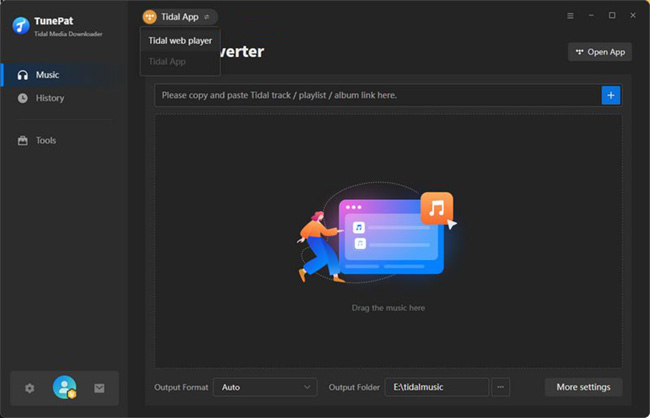
2. TunePat Tidal Converter — Fast, Batch‑Friendly with Solid Tag Support
TunePat’s batch engine preserves HiFi/Master quality in 24‑bit FLAC with robust ID3 tags. The free trial converts the first three minutes per track—longer than most. Monthly plans start at $14.95.
Best for: HiFi subscribers who prioritize batch processing and want a longer trial to validate output.
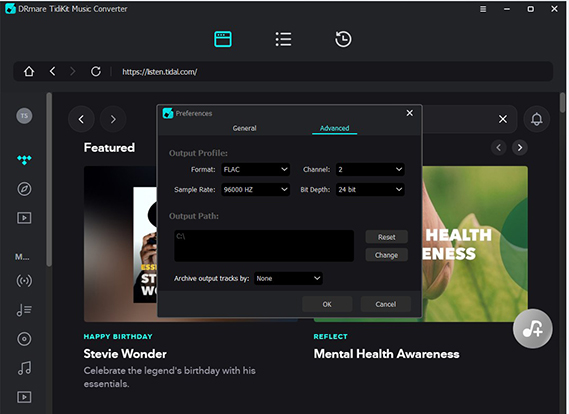
3. DRmare Tidal Music Converter — Claimed 100× Speed with Broad Format Support
DRmare advertises up to 100× speed, though independent benchmarks are scarce. It supports FLAC, WAV, MP3, and more, and automatically splits long tracks. The trial limits conversion to three‑minute clips.
Best for: power users with massive libraries who are willing to test speed claims themselves.
4. Tidabie Tidal Music Converter — Advanced Metadata and Lyrics Export
Tidabie uniquely saves timed lyrics alongside FLAC files, with full ID3 tags and cover art. In app‑mode, speed drops to ~5×. Pricing starts at $9.95/month; the trial extracts one minute per track.
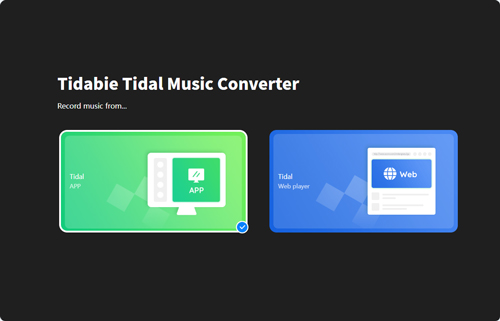
Best for: users who value lyrics, especially for karaoke or synced‑lyric devices.
5. NoteBurner Tidal Music Converter — Simple Interface, Reliable Output
NoteBurner offers a three‑step workflow: add tracks, choose FLAC, convert. Output matches source bit‑depth with intact ID3 tags. Lifetime and monthly licenses are available.
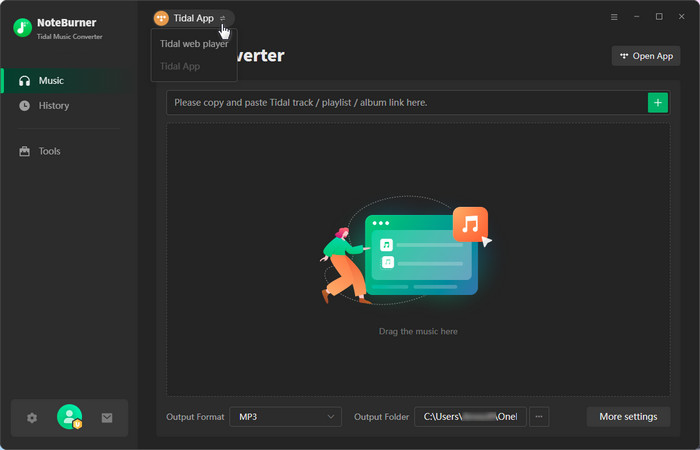
Best for: listeners wanting a clean, dependable tool with no learning curve.
6. Sidify Tidal Music Converter — Mature Tool with Longstanding Reputation
Sidify’s Tidal module benefits from years of streaming‑conversion experience. It outputs to FLAC, MP3, AAC, and more, preserving tags and structure. The interface is familiar but not modern.
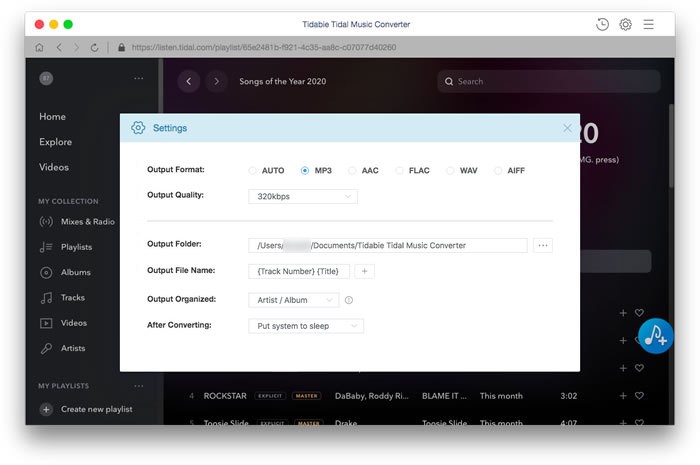
Best for: longtime Sidify users who want a trusted, consistent option.
7. UkeySoft Tidal Music Converter — Versatile Multi‑Format Export
UkeySoft supports FLAC, WAV, AIFF, and ALAC—ideal for Apple users who prefer ALAC. The drag‑and‑drop workflow is simple, and the annual plan at $59.95 offers solid value.
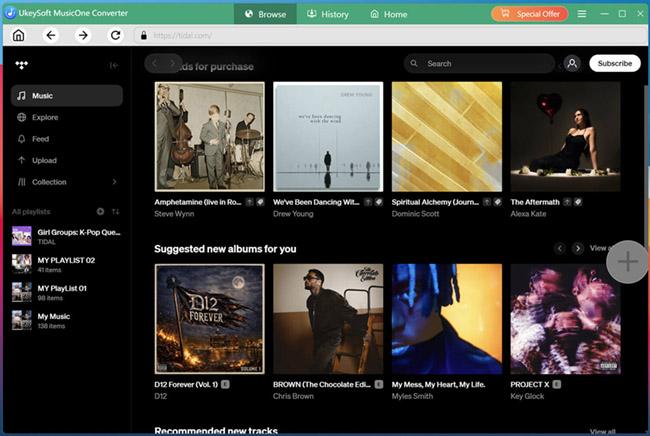
Best for: Apple ecosystem users needing ALAC output out of the box.
8. Leawo Tidal Music Converter — Budget‑Friendly with Essential Features
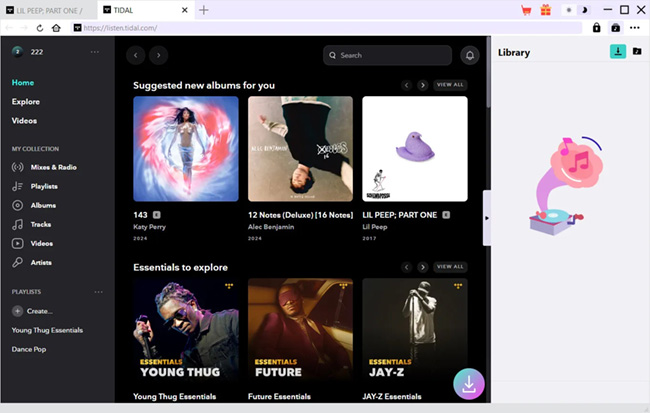
Leawo starts at $9.95/month and reliably outputs FLAC with ID3 tags. It’s lightweight and stable, though speed is moderate.
Best for: casual users on a budget with moderate library sizes.
9. Tidal‑DL GUI — Open‑Source Alternative with Caution
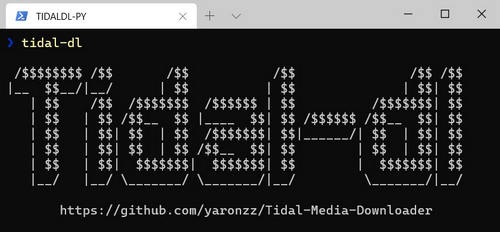
Tidal‑DL GUI is a free, community‑driven graphical wrapper for command‑line tools. Setup requires obtaining a Tidal API key and technical know‑how. No support, and future compatibility is uncertain.
Best for: tech‑savvy users who accept the risks of an unsupported open‑source tool.
10. Allavsoft Tidal Music Converter — Multi‑Tasking Downloader
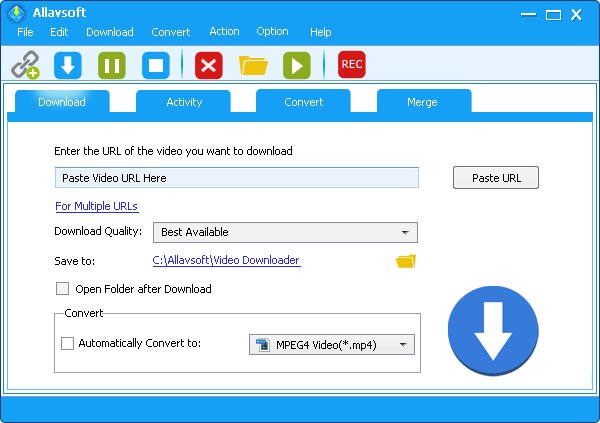
Allavsoft is a general media downloader with a Tidal module. It can grab video from other platforms, but its ID3 tagging for Tidal is weaker, often requiring manual fixes.
Best for: users wanting one tool for both Tidal audio and video downloads, and who don’t mind occasional tag cleanup.
Comparison at a Glance
| Converter | Claimed Speed | Max FLAC Bit‑depth | ID3 & Extra Tags | Platform | Trial Limitation | Starting Price |
|---|---|---|---|---|---|---|
| AudKit | 5× | 24‑bit/192 kHz | Full ID3, cover art | Win / Mac | 1‑min clips | $14.95/mo |
| TunePat | 10× | 24‑bit/192 kHz | Full ID3, cover art | Win / Mac | 3‑min clips | $44.95/mo |
| DRmare | Up to 100× (untested) | 24‑bit/192 kHz | Full ID3, cover art | Win / Mac | 3‑min clips | $29.95/mo |
| Tidabie | ~5× (app mode) | 24‑bit/192 kHz | Full ID3 + .lrc lyrics | Win / Mac | 1‑min clips | $44.95/yr |
| NoteBurner | 10× | 24‑bit/192 kHz (matches source) | Full ID3 | Win / Mac | Limited trial | Lifetime & monthly available |
| Sidify | 10× | 24‑bit/192 kHz | Full ID3, cover art | Win / Mac | 1‑min clips | $44.95/yr |
| UkeySoft | 36× | 24‑bit/192 kHz | Full ID3 (assumed) | Win / Mac | 1‑min clips | $14.95/yr |
| Leawo | — | 24‑bit/192 kHz | ID3 tags | Win / Mac | 1‑min clips | $41.97/yr |
| Tidal‑DL GUI | — | — (source quality) | Limited (may vary) | Win / Mac / Linux | N/A (free) | Free |
| Allavsoft | — | 24‑bit/192 kHz | Weak ID3 | Win / Mac | 1‑min clips | $19.99/mo |
Speed claims vary dramatically depending on mode (internal handling vs. app‑mode capture). No mainstream converter has published independent spectrum analysis to verify bit‑perfect output. Before buying, test full‑track conversions with your own playlist to check both metadata completeness and real‑world throughput on your hardware.
Tidal to FLAC Converter FAQs
Can I really get 24‑bit/192 kHz FLAC from Tidal tracks?
Yes, with converters like AudKit or TunePat, provided the source is a Master track and you configure output correctly. Verify with a spectrum analyzer to ensure no downsampling occurs.
Is it legal to convert Tidal music to FLAC for personal use?
Personal backups generally fall under fair use in many regions, but distribution or commercial use violates Tidal’s terms.
Why do conversion speeds vary so widely?
Internal stream processing can reach 10× or higher, while app‑mode capture (playing the track in real time) often limits speed to 3–5×.
Will converted FLAC files work with Roon or Plex without extra tagging?
If the converter preserves full ID3 tags and cover art, integration is smooth. Tools like AudKit and TunePat are reliable; check multi‑disc albums and classical works for missing discnumber tags.
Do I need special hardware to play 24‑bit/192 kHz FLAC?
Most modern devices can play the files, but an external DAC and quality headphones are recommended to hear the full dynamic range.
Conclusion
For most Tidal users, AudKit Tidal Music Converter delivers the best balance of speed, metadata accuracy, and lifetime value. If speed is king and you’ll test thoroughly, DRmare’s claimed 37× performance may be worth a shot. Use free trials to convert your own tracks, then inspect them with a spectrum analyzer and listen on your own gear. Even small tag errors can disrupt gapless playback, so a hands‑on test with your actual library is the only way to pick the right tool.

Andrew Rowley
 Staff Editor
Andrew Rowley has over 10 years of writing experience and is good at writing in audio technology and audio converter software. He can provide high-quality articles to help streaming music lovers explore music better.