





Quick Answer
- Tidal-DL GUI can pull FLAC tracks, but requires manual Python, ffmpeg, and terminal work. macOS builds often trigger “damaged” warnings and login failures.
- Even successful downloads arrive missing lyrics, with low‑resolution art and generic file names that demand extra tagging.
- For a reliable, hands‑off option, AudKit Tidal Music Converter handles everything inside one app, preserves full metadata and lyrics, and doesn’t hand your Tidal credentials to a reverse‑engineered script.
The freedom to play Tidal tracks offline pulls many toward open‑source tools, and Tidal‑DL GUI gets cited often. Spend ten minutes with it, though, and the dream hits Python tangles, “Login Failed” messages, and builds that simply refuse to open on macOS.
This review focuses on what actually matters when you try to build a local library: audio integrity, metadata completeness, setup friction, and the account risk you’re forced to accept. If you want offline Tidal music without becoming a part‑time sysadmin, the sections ahead give you a clear decision path.
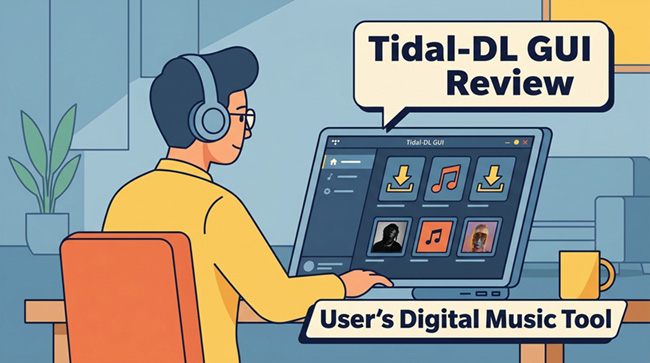
- What Is Tidal-DL GUI and Who It’s For
- When Setup Becomes a Roadblock: Installation and Compatibility
- How to Install Tidal-DL GUI on Your Computer
- What Happens After You Hit Download: Audio Quality, Metadata, and Album Art
- Security and Account Risks: Handing Over Your Tidal Credentials
- The Best Tidal-DL GUI Review Alternative: AudKit Tidal Music Converter
- Comparison at a Glance: Tidal-DL GUI vs. AudKit Tidal Music Converter
- FAQs About Tidal-DL GUI and Safer Alternatives
What Is Tidal-DL GUI and Who It’s For
Tidal-DL GUI is an open‑source graphical wrapper that bundles command‑line Tidal download utilities behind a simple window. Behind that window, though, the tool expects you to manually install Python and ffmpeg, set environment variables, and troubleshoot “module not found” errors. macOS users face an added barrier: the app regularly triggers Gatekeeper warnings demanding xattr -cr overrides.
The tool relies on reverse‑engineered Tidal APIs that break whenever the platform changes its backend. You type your real Tidal login into a third‑party interface, risking account suspension every session. Even when downloads succeed, FLAC files frequently lack lyrics and carry thumbnail‑sized album art, forcing you into long rounds of manual tagging. Tidal-DL GUI is not a consumer product; it’s a bare‑bones project for technical experimenters who are comfortable patching the tool each time it snaps.
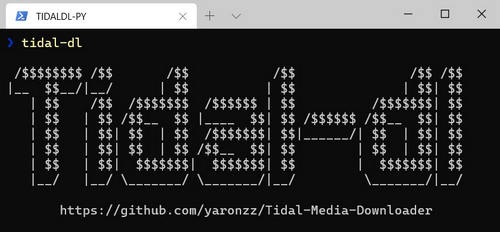
When Setup Becomes a Roadblock: Installation and Compatibility
The “GUI” label hides a chain of terminal‑level steps: locate the right Python release, wire ffmpeg into your PATH, and hope the pieces fit. macOS users hit a predictable wall — Apple’s Gatekeeper insists the file is damaged, demanding command‑line overrides that feel closer to bypassing a safety barrier than installing a music tool.
When things break, there is no support team. Help lives in dusty GitHub threads and Discord servers where answers usually circle back to “did you install the correct ffmpeg build?” The hidden price of “free” is the hours you lose to dependency loops and silent API‑change lockouts.
How to Install Tidal-DL GUI on Your Computer
Even though the tool is not recommended for casual users, some technical enthusiasts still want to try it. Here’s a quick guide to get Tidal‑DL GUI running, but proceed at your own risk.
- Install Python 3.8 or later
Download the installer from python.org, and make sure to check “Add Python to PATH” during setup. After installation, open a terminal and runpython --versionto confirm it’s working. - Install ffmpeg
On Windows, download a static build from ffmpeg.org and add itsbinfolder to your system PATH. On macOS, use Homebrew (brew install ffmpeg). Verify withffmpeg -version. - Download Tidal‑DL GUI
Head to the official GitHub repository and grab the latest release for your OS. The Windows.exefile usually works right away; macOS users get a.dmgor.appbundle. - Bypass macOS Gatekeeper (if needed)
If you’re on Mac and see a “damaged” warning, open Terminal and run:sudo xattr -rd com.apple.quarantine /path/to/Tidal-DL-GUI.app
This removes the quarantine flag, but note that it circumvents Apple’s malware check. - Launch and Login
Open the app, enter your Tidal email and password in the login window, and the GUI will attempt to authenticate. If you hit a “Login Failed” error, it’s likely due to a recent Tidal API change — you’ll need to wait for a patch from the community. - Search and Download
Once logged in, type an artist or album in the search bar, select the tracks you want, choose the output format (FLAC, MP3, etc.), and click Download. Files appear in a local folder, though they may lack proper tags as mentioned earlier.
⚠️ Important: This process hands your real Tidal credentials to a reverse‑engineered script. Tidal can suspend or terminate your account if it detects unauthorized access. Only test this with a burner account you’re willing to lose.
What Happens After You Hit Download: Audio Quality, Metadata, and Album Art
Tidal-DL GUI can deliver genuine lossless FLAC, but the files often land with empty artist tags, generic track names like “01‑Track01,” and no lyrics — even when Tidal’s own client shows them. Album art is frequently a low‑resolution thumbnail, not the high‑res original. For anyone curating a real library, the download session is only the halfway point; you then spend nearly as long re‑tagging covers, renaming files, and filling missing credits inside Mp3tag or MusicBrainz.
Security and Account Risks: Handing Over Your Tidal Credentials
The tool asks for your live Tidal email and password and passes them through an unofficial, reverse‑engineered connection — a clear terms violation. There is no published security audit, and a single API update can cause repeated login retries that trigger Tidal’s automated security systems. Using Tidal-DL GUI means betting your account on an unvetted script with no safety net.
The Best Tidal-DL GUI Review Alternative: AudKit Tidal Music Converter
AudKit Tidal Music Converter removes the DIY chain entirely. It embeds the official Tidal web player inside a self‑contained app; you log in through a legitimate session, pick your tracks, and click “Convert.” The output preserves lossless FLAC, full ID3 tags, high‑resolution album art, and synchronized lyrics — no extra tagging pass required.
Because AudKit works via your own Tidal web playback session, your credentials never leave the official player. There are no API‑key expiry messages, no reverse‑engineered access tokens, and no risk of a suspension notice tied to suspicious scripts. It’s a paid tool, but when you add up the weekend hours Tidal-DL GUI demands for debugging and metadata cleanup, the cost‑of‑ownership picture shifts quickly.
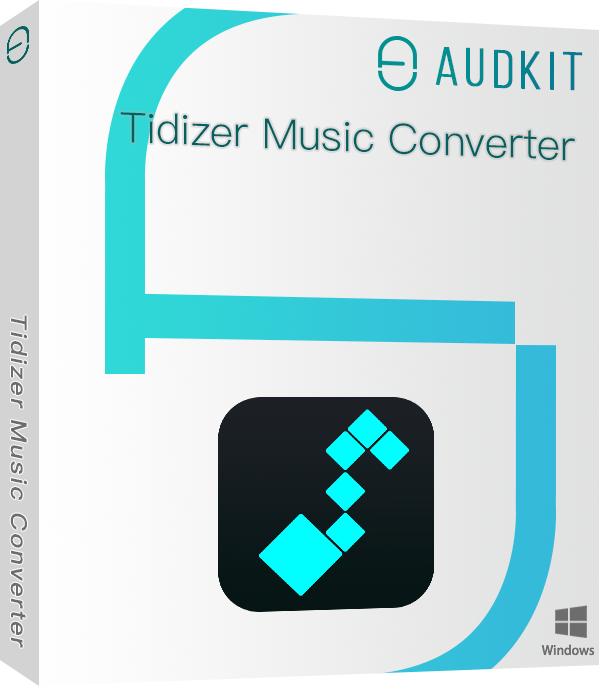
Main Features of AudKit Tidal Music Converter
- Download Tidal playlists to your PC for offline listening
- Convert Tidal to MP3, FLAC and other formats supported by DAP
- Support 5X batch conversion speed of Tidal songs
- Retain original audio quality and ID3 tags after conversion
Comparison at a Glance: Tidal-DL GUI vs. AudKit Tidal Music Converter
| Dimension | Tidal-DL GUI | AudKit Tidal Music Converter |
|---|---|---|
| Setup Complexity | Manual Python, ffmpeg, and PATH control; macOS builds frequently blocked by Gatekeeper. | Single installer with an embedded Tidal web player — no external dependencies. |
| Audio Output Format | FLAC, M4A, MP3; actual lossless delivery depends on API response at that moment. | FLAC, WAV, AAC, MP3, M4A, M4B; lossless stream pulled directly from the web player. |
| Metadata & Lyrics | Often missing lyrics, low‑res album art; manual tagging is the default workflow. | Full ID3 tags, up to 3000×3000 art, and synced lyrics embedded in a single conversion. |
| Account Safety | Real Tidal credentials fed to reverse‑engineered APIs — high suspension risk. | Official Tidal web session; no credentials handed to an outside process. |
| Stability Over Time | Breaks overnight when Tidal updates authentication; no guaranteed fix timeline. | Maintained alongside official Tidal web changes; a support team handles break‑fix. |
| Post‑Download Work | Flat folder output with naming gaps; artwork and lyrics require extra tools. | Artist‑album folder structure and complete tags ready right after conversion. |
FAQs About Tidal-DL GUI and Safer Alternatives
Is Tidal-DL GUI safe for my Tidal account?
No. Typing your login into a third‑party, reverse‑engineered tool violates Tidal’s terms and can trigger suspension, especially after repeated failed sign‑ins caused by API changes.
Does Tidal-DL GUI download real lossless FLAC?
Yes, when the API delivers a lossless stream it’s real FLAC, but files often have garbled tags, tiny artwork, and no lyrics — leaving a library that demands manual cleanup.
Why does Tidal-DL GUI keep showing “Login Failed”?
Tidal regularly patches its backend authentication, which breaks the unofficial API access Tidal‑DL GUI relies on. Until the community releases a patch, you’re locked out.
Is there a paid alternative that works without tinkering?
AudKit Tidal Music Converter is a stable, self‑contained app that uses your legitimate Tidal web session to download tracks with complete metadata and artwork, avoiding API breakage entirely.
Conclusion
Tidal-DL GUI works under narrow conditions — if you enjoy patching Python dependencies and rebuilding after each upstream break. For everyone else, “free” costs hours of troubleshooting and leaves you with half‑tagged libraries.
A music downloader should free up time for listening, not tie you to a terminal. When you factor in metadata gaps and account risk, the open‑source route can feel like a second job.
A dedicated tool like AudKit Tidal Music Converter flips the equation: one login, one click, and a fully tagged local library. If your priority is safe, reliable offline playback, that’s the practical path.

Elle Johnson
 Staff Editor
Elle Johnson has been working in the technology and music software field for over 5 years. She is dedicated to providing easy-to-use guides and effective tips to play music anywhere.