





Tidal is a popular music streaming service that stands out from the competition by offering lossless streaming. You may enjoy movies, podcasts, and music reporters in addition to music after you become a member. Tidal not only respects the rights of artists, but also those of users. Tidal has drawn the attention of those who enjoy high-quality music (Hi-Fi music) in addition to 320kbps music.
Moreover, Tidal doesn’t provide a free account – only a 30-day trial – you can’t listen to the music for free when the day elapses. You have to pay for its most basic Premium membership or a Tidal HiFi subscription for up to $10.99 per month.
When your Tidal membership expires, you are no longer able to download or listen to your Tidal playlist. In this post, we’d like to help you solve this problem. We will walk you through the easiest approach to download Tidal music without Premium.
Part 1. Download Tidal Music without Premium: Tool You Need
For music fans, the 30-day free trial period is insufficient. If you want to listen to Tidal music for longer, freely share your favourite songs with family and friends, or play Tidal music on many devices such as MP3 players, smart TVs, PS5, PSPs, and so on, you will need to figure out a means to retain the songs forever and make sure the audio files are genuine. So, how can we get Tidal music for free within the first 30 days? Let’s make use of the AudKit Tidal Music Converter.
AudKit Tidal Music Converter has consistently outperformed the competition in the Tidal converting industry. You may use the app to download Tidal to MP3, AAC, FLAC, WAV, or AIFF files from Tidal. With any Tidal account, it may download Tidal songs to enjoy offline. AudKit is such a saviour that, because of its cutting-edge technology, it can convert audio 10X quicker than usual. The lossless music will be maintained together with ID3 tags that include artists, albums, and other information.
Main Features of AudKit Tidizer Music Converter
- Download music from Tidal on the computer for offline listening
- Convert all Tidal files to Lossless, MP3, FLAC, WAV, and more formats
- Export Tidal music in lossless quality along with all ID3 information
- Let you offline play Tidal music on any device without Premium
How to Download Music from Tidal without Premium
Step 1 Download and register for Tidal
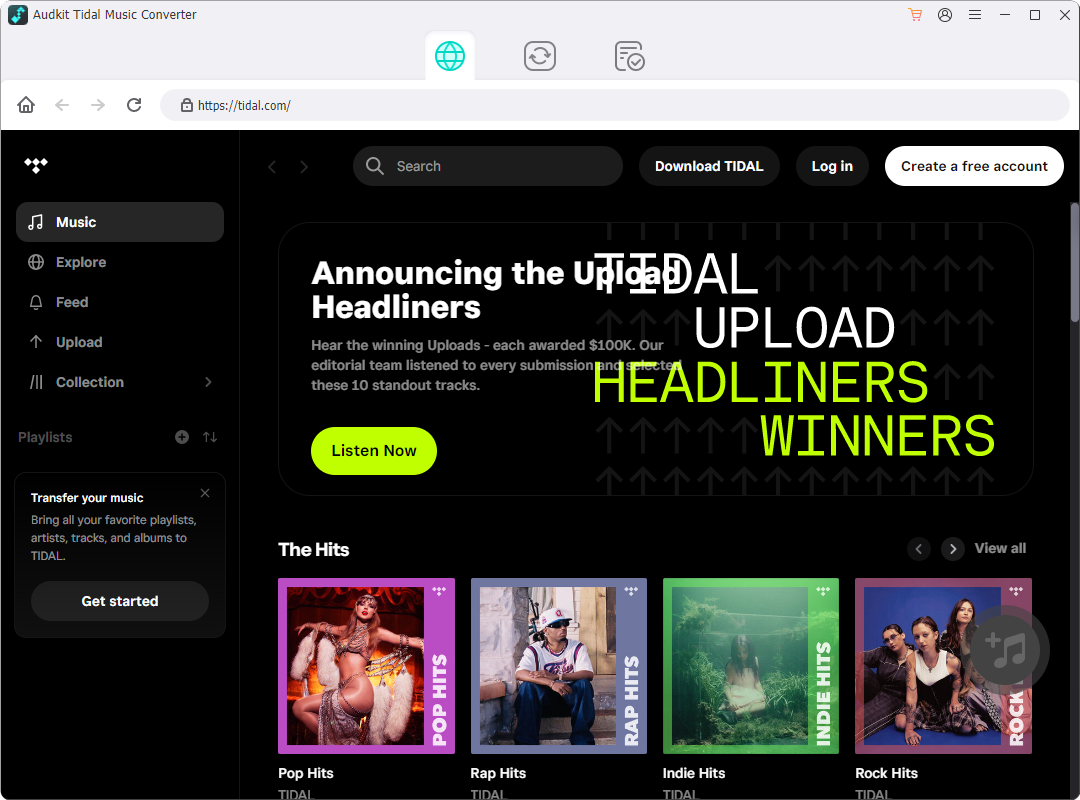
AudKit should be installed on your computer. Then we will be able to download songs from Tidal. On the start-up page of AudKit, login to your Tidal account.
By selecting the login option, you will be led to your Tidal account. Fill in the blanks with relevant information, and please confirm that you are still inside the 30-day free trial period.
Step 2 Import Tidal and set parameters for Tidal music download
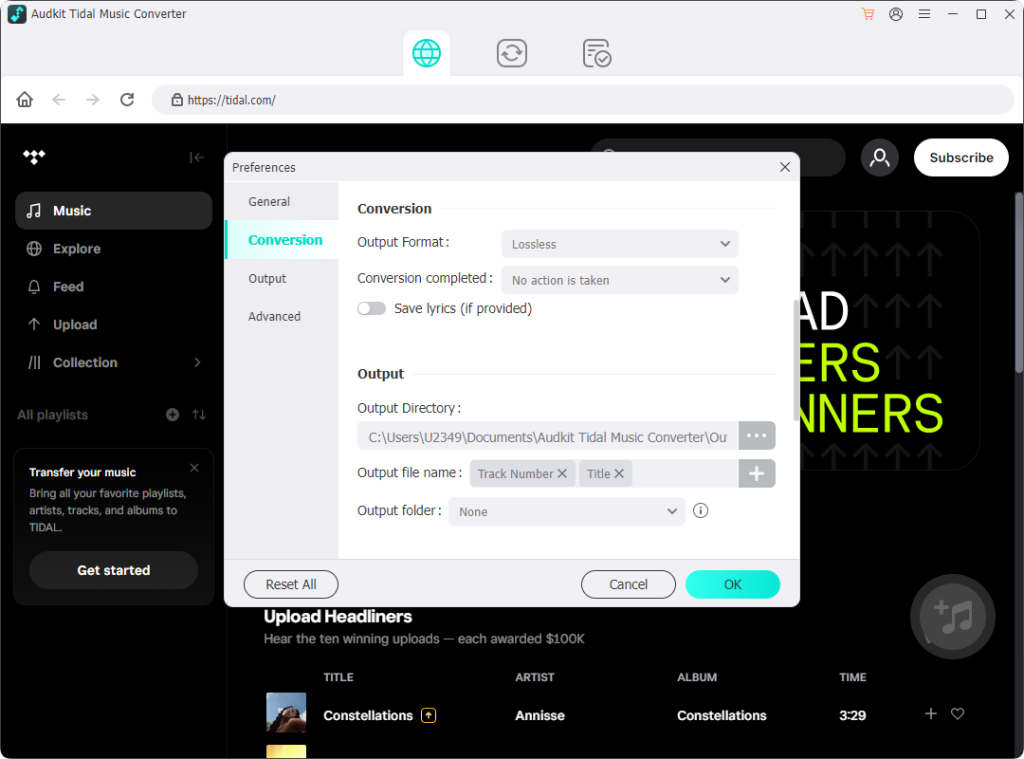
When the pop-up appears, tap the Settings icon on AudKit’s upper right bar, and you will be able to adjust the output parameters to suit your needs. The tracks are available for download in Lossless, MP3, AAC, FLAC, WAV, etc. formats. If you want to preserve high-quality Tidal music, the Lossless, FLAC and WAV should be your primary choice.
Step 3 Download Tidal music without Premium
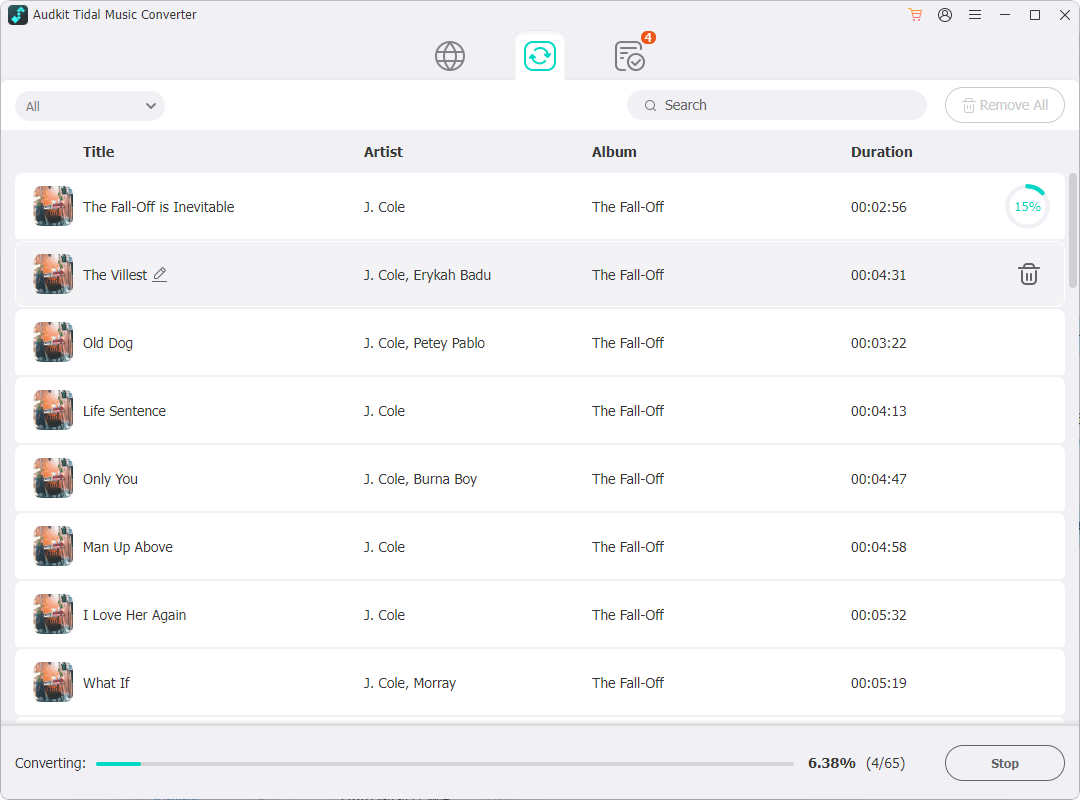
You’ve arrived at the last stage! You should first browse AudKit’s catalogue before moving on to a specific song, album, or playlist. Click on the target after you’ve found it and then click the Add button. AudKit will load and list the music automatically. Wait while you press the Convert button on the Convert page. The songs will be converted as quickly as possible. However, the actual speed is determined by the state of your computer and network.
Check the converted music in the History section or the local folder after the conversion. All Tidal music songs that have been downloaded are now available for offline listening without Premium.
Part 2. Learn More: How to Get Tidal Premium Free Trial
To use the method above, you need access to the Tidal library. If you don’t have a subscription, you can utilize a free trial to download your library before the trial ends.
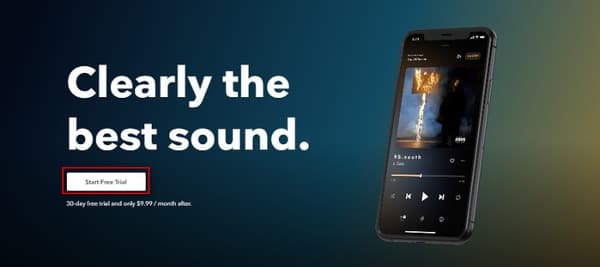
Step 1. Visit the official Tidal website.
Step 2. Click on “Start Free Trial”.
Step 3. Register using an email address, or link your Facebook/Twitter account.
Step 4. Select a plan (Individual, Family, or Student).
Step 5. Enter payment details (you will not be charged if you cancel before the trial ends).
Once your account is active, use AudKit to download your music immediately. After downloading, you can cancel the Tidal subscription, but your downloaded MP3 files will remain playable.
Part 3. FAQs About How to Download Tidal Music Without Premium
1. Is it legal to download Tidal music?
Downloading copyrighted music for commercial distribution is illegal. However, recording streaming music for personal, offline use is generally considered a gray area similar to recording radio. Always use these tools for personal use only.
2. Can I play these downloaded songs on my phone?
Yes. Since AudKit converts Tidal music to standard MP3 or FLAC files, you can transfer them to any Android or iOS device using a USB cable or cloud storage and play them with any media player.
3. Do I need to keep the Tidal app installed?
No. Once the songs are converted and saved to your computer, you do not need the Tidal desktop or mobile app to play them.
Conclusion
While Tidal does not offer a permanent free way to download songs for offline use within their app, tools like AudKit Tidal Music Converter provide a reliable workaround. By combining a Tidal Free Trial with AudKit, you can download Tidal music without Premium costs in the long run. This method ensures you retain ownership of your favorite playlists and can enjoy high-quality audio anywhere, anytime.

Elle Johnson
 Staff Editor
Elle Johnson has been working in the technology and music software field for over 5 years. She is dedicated to providing easy-to-use guides and effective tips to play music anywhere.