





Quick Answer
- To connect Spotify to Bumble: Go to your Bumble profile, tap Edit Profile, scroll down to Linked Accounts, and choose Connect your Spotify. Log in to confirm authorization.
- To update or hide top artists: Open the profile editor, navigate to your Spotify section, and tap Hide Artist on any entry you do not want displayed. Bumble will automatically replace them with your next most-listened-to creators.
- To fix sync errors: If your artists do not reflect your recent listening history, disconnect and reconnect Spotify inside Bumble, or log out of both apps to refresh account permissions.
- To use Spotify audio in a Bumble profile video: Save the song locally as a standard MP3 using a dedicated audio converter, then import the audio track into a mobile video editor before uploading the clip to your profile.
Music taste is often one of the quickest ways to gauge compatibility, and Bumble makes sharing your favorite sounds straightforward through its Spotify integration. When you link your Spotify account to your Bumble profile, the app displays your most-listened-to artists right beneath your bio, giving potential matches an instant vibe check.
However, getting your accounts linked—or keeping your top artists updated when your music habits change—does not always work seamlessly. Below is a complete walkthrough on how to connect Bumble to Spotify, adjust your featured artists, and troubleshoot common connection bugs.
Part 1. How to Connect Bumble to Spotify
Follow these steps to link Spotify to Bumble and share your musical tastes with your connections.
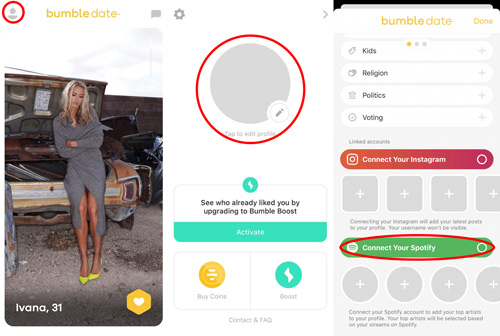
Step 1. First, open the Bumble app on your device and click on the “Profile photo” icon in the top-left corner of the screen.
Step 2. Next, tap on the “Complete my profile” option in the circular photo to open the profile editor.
Step 3. Then scroll down under the “Linked Accounts” option and tap the “Connect your Spotify” option.
Step 4. Enter your login details for Spotify and tap the “Login” tab. Note that you’ll be prompted to accept the Terms & Conditions of Use.
Part 2. How Can Bumble Change Spotify Top Artists
Bumble automatically calculates your displayed artists based on your continuous Spotify listening data, meaning you cannot manually type in arbitrary bands to display. However, if a guilty-pleasure artist or an outdated favorite dominates your profile, you can easily hide them.
Step 1. Open Bumble and enter the Edit Profile menu.
Step 2. Scroll down to the Spotify module where your current top artists are displayed.
Step 3. Tap Hide Artist underneath any specific artist you want removed from public view.
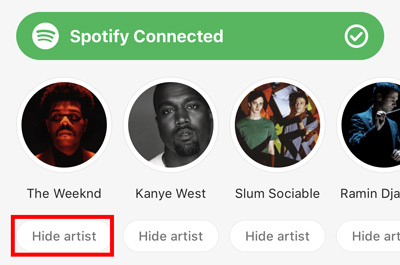
Step 4. Once hidden, Bumble will automatically promote your next most-streamed artist into that slot. If you want an artist to appear organically, listen to their catalog consistently on Spotify for a few days to boost their ranking in your algorithm.
Part 3. How to Fix Bumble Spotify Top Artists Not Accurate
It is quite disappointing to connect Spotify Bumble successfully and then realize that your artists are not accurate. If so, try out these fixes.
Relink Spotify and Bumble
To update your Spotify top artists on Bumble, it may be of help to disconnect Spotify from Bumble and relink it.
Step 1. Open the Bumble app then tap on the “User” icon on the top-left.
Step 2. Then, go to your “Profile” picture and tap on the “Edit” icon.
Step 3. Scroll down to the bottom of the page to view your connected Spotify account as well as your top artists.
Step 4. Tap on the green bar labeled “Spotify Connected” to disconnect your account from Bumble. Note that the “Green” bar should now indicate “Connect Your Spotify“.
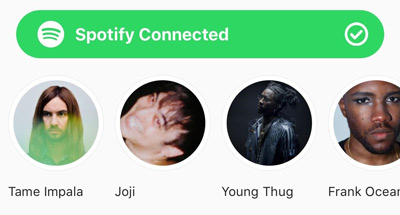
Step 5. Now, tap on the green bar to reconnect your Spotify and Bumble then check if the problem is resolved.
Log Out and Back into Spotify and Bumble
Logging out of both apps can also fix the issue of Bumble Spotify not working.
Step 1. Open the Spotify app and tap on the “Your Library” tab at the bottom-right of the screen.
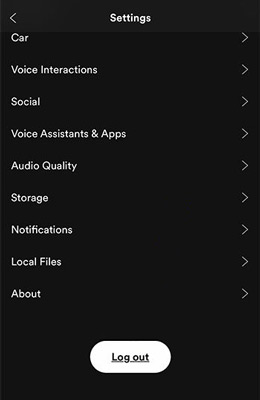
Step 2. Click on the “Gear” icon then hit on the “Log Out” option twice to sign out of the app.
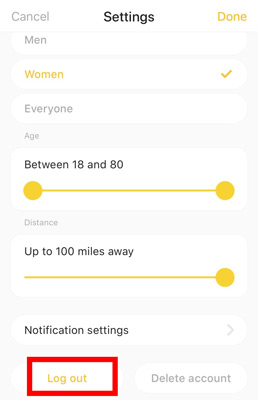
Step 3. Go to sign out of Bumble also by opening the app, and tapping “Log Out” after hitting the settings icon on your profile.
Step 4. Log in on both accounts and check if your top artists’ list is now updated.
Part 4. Why Bumble Spotify Is Not Working
It will be a great disappointment whenever Bumble Spotify is not connecting to your device. Here are the possible reasons and solutions for such errors.
1. An outdated Spotify app may not work with certain apps like the Bumble app. To resolve Bumble Spotify not working, you can reinstall the Spotify app on your device or well update it to the latest version.
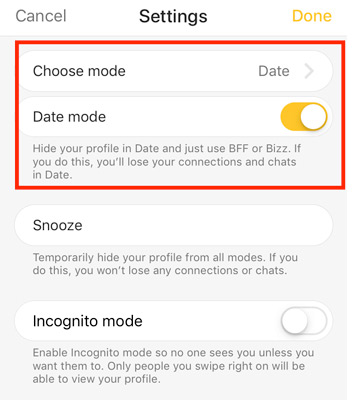
2. The “Date Mode” when not correctly adjusted may hinder the functionality of some applications. Solve this menace by trying the “Switch Off-On Date Mode“. To do this, toggle OFF the switch to grey then back ON, to yellow.
3. Your Bumble account may not have connected correctly to your Spotify account due to incorrect profile preferences in settings. Solve this issue by deleting your Bumble account and then registering it again.
Extra Tip: How to Download Spotify for Adding to Bumble’s Video
Now Bumble has enabled users to upload a video (30 seconds) to their profiles. If you want to make yourself a video, why not add Spotify to the video to create the atmosphere? How to add Spotify music to a video? Here you go! Spotify has restrictions on its files, hindering direct access outside the Spotify app or browser. You need a converter to access Spotify without any issues.
AudKit Spotify Music Converter will quickly convert Spotify files into any common output format like FLAC, MP3, or AAC. It supports both Windows and Mac and works at a fast speed of X5 rate while converting. The output quality is worth it, giving you 100% lossless sound quality of the original tracks. This sophisticated tool will preserve all the ID3 tags and metadata information such as artists, track numbers, albums, etc. It has an open door that lets you enjoy Spotify music streaming in offline mode without any ad interruption. And once the conversion is completed, simply import the music files to any video editor.
Finally, you have a quick solution to play your Spotify music offline and even add your Bumble app. It is time to learn how can you use the AudKit Spotify Music Converter to download Spotify for adding a video to Bumble. Check out the following guide.
Step 1 Paste Spotify URL to AudKit software
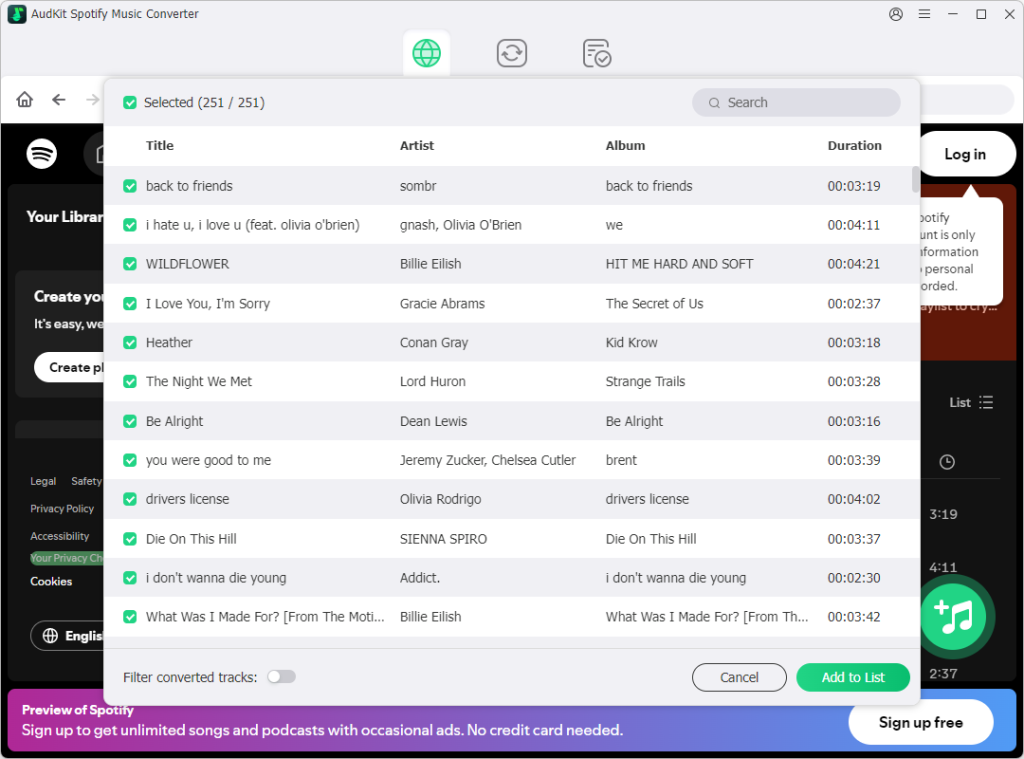
After the successful installation of the AudKit app, launch it and begin adding the Spotify hits that you wish to convert from your music library. Right-click on the song of choice, then click on the “Share” > “Copy Song Link” options and paste the link into the converter’s interface. Next, click on the “+” tab next to the song to import it. Alternatively, you can drag and drop them into the converter’s interface to add them.
Step 2 Define Spotify audio format for video editing
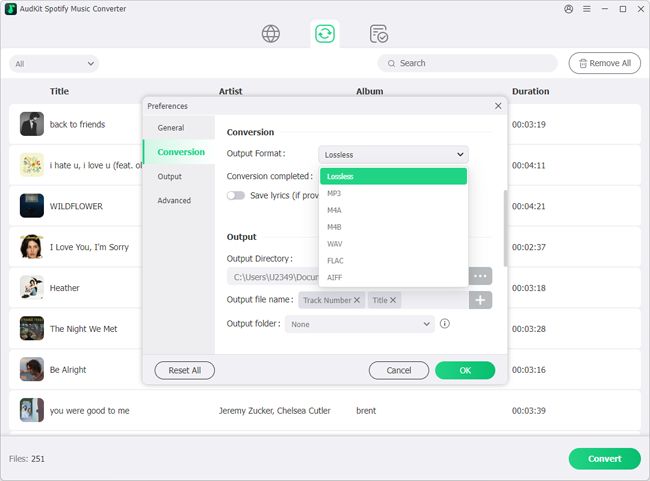
AudKit Spotify Downloader lets you choose your preferred format and other attributes. Go to the Menu tab and choose the “Preferences” tab to open the “Convert” option. You can now set the output format to convert Spotify to MP3, FLAC, AAC, and more. Also, edit the parameters such as channel, sample rate, channel, etc.
Step 3 Get Spotify music tracks onto your computer
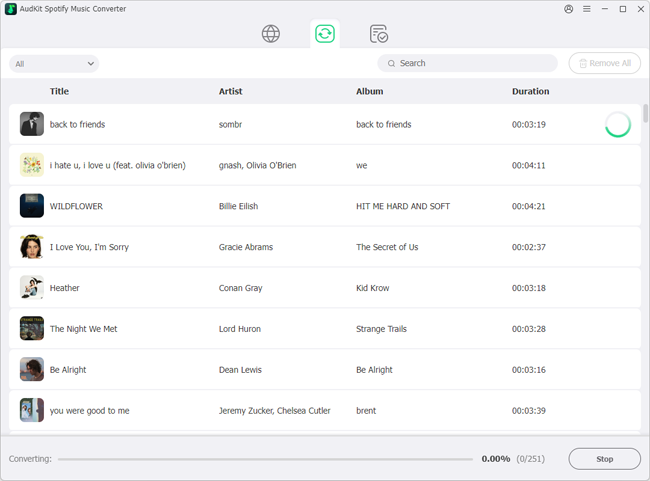
Go to the “Convert” tab and click on it for the AudKit app to commence the conversion process. The converted Spotify playlist will then be saved in your computer’s local disk as common files. Simply locate the “Converted” folder to listen to them offline or use it in a video that you can add to Bumble.
Frequently Asked Questions
Can Bumble matches see my private playlists?
No. Bumble only accesses your public top artists and recent listening data. Your personal playlists, private listening sessions, and saved library remain completely confidential.
How long does it take for Bumble to update Spotify artists?
Bumble queries Spotify’s API periodically rather than in real time. It usually takes between 24 and 48 hours of consistent streaming for a newly favored artist to appear on your dating profile.
Does hiding an artist on Bumble block them on Spotify?
No. Tapping “Hide Artist” only removes that specific artist from displaying on your Bumble profile card. It has no effect on your personal Spotify recommendations or playback history.
Final Thoughts
The Bumble Spotify connection can show more personalities of you. And this article has shared tips on how to connect to Spotify and how to change top artists on Spotify Bumble. We believe it can bring more benefits while searching for matches. Meanwhile, you can also add a video to your Bumble profiles, which can spice up your dating journey. If you want to get your music from Spotify as your video background, try AudKit Spotify Music Converter to get the music files with no restrictions.

Andrew Rowley
 Staff Editor
Andrew Rowley has over 10 years of writing experience and is good at writing in audio technology and audio converter software. He can provide high-quality articles to help streaming music lovers explore music better.