





Quick Answer
Tiddl is an open-source command-line utility designed for bit-perfect audio stream extraction. While it offers high-resolution output, the project currently lacks active maintenance. Recent protocol updates, such as the transition to OAuth 2.0 with PKCE, frequently trigger 401 Unauthorized errors, effectively breaking the tool’s functionality for many users.
For those requiring stable offline access for professional DJ software, car head units, or high-end digital audio players (DAPs), these unmaintained scripts often fail. A dedicated third-party desktop converter offers a more reliable, user-friendly alternative, providing seamless high-res library management without the technical overhead of manual environment configuration and persistent authentication failures.
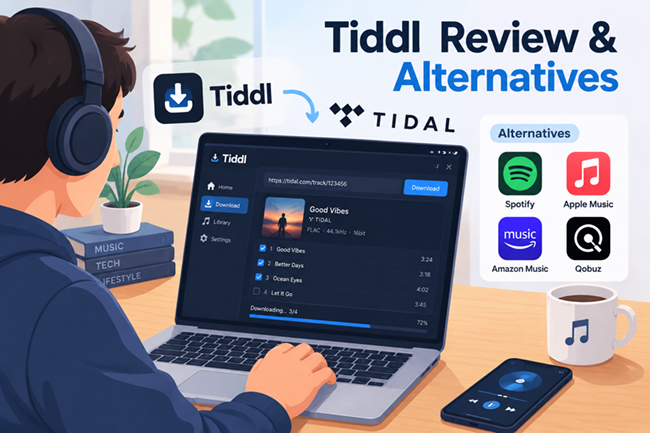
High-fidelity streaming has transformed how audiophiles consume music, but relying solely on native app caches often limits usage for professional DJ software, dedicated digital audio players (DAPs), or car audio systems. For power users, the Tiddl command-line utility long served as a go-to solution for extracting bit-perfect FLAC streams for offline libraries. However, conducting a balanced Tiddl review and alternatives analysis reveals a significant gap between the initial appeal of open-source transparency and the mounting reality of long-term software maintenance.
Tiddl’s reliance on direct API endpoint access frequently collapses when streaming platforms implement security upgrades, such as the industry-standard transition to OAuth 2.0 with PKCE authentication. These updates render unmaintained scripts obsolete, often triggering persistent “401 Unauthorized” errors that leave local music collections stranded.
Understanding Tiddl’s Technical Architecture
Rather than capturing analog audio through a virtual soundcard—a method that introduces unwanted resampling and compression artifacts—the utility requests and demuxes raw audio data packets straight from content delivery networks. This approach guarantees bit-perfect retrieval.
The native Tidal client includes an offline mode, but it writes encrypted, proprietary cache files that remain locked inside the platform ecosystem. In contrast, Tiddl assembles the incoming transport chunks into standard audio containers. Alongside the raw stream, it extracts and injects complete metadata—using ID3v2 tags for AAC and Vorbis Comments for FLAC.
Under the hood, Tiddl is written entirely in open-source Python. It carries no hidden telemetry, background bloat, or malicious payloads, allowing developers and listeners to audit every network request line by line. Yet, this architecture brings inherent fragility. Because Tiddl relies on undocumented API endpoints, it lacks official backing from streaming servers. When upstream handshakes change, the script stops working.
Technical Challenges with Tiddl CLI
Authentication and API Deprecation
Authentication failure is the most common breakdown point for CLI tools like Tiddl. While earlier scripts relied on static client IDs and hardcoded tokens, Tidal now enforces strict OAuth 2.0 with PKCE and short-lived, dynamic access tokens.
Unmaintained repositories cannot negotiate these cryptographic handshakes or automated refresh cycles. As a result, requests fail at the gateway—triggering persistent 401 Unauthorized or Token Expired errors instead of retrieving audio streams.
Managing Python Environment Dependencies
Running Tiddl requires maintaining a stable local runtime, where conflicting environment paths and deprecated libraries frequently halt command-line execution. When system packages shift, the script often breaks before establishing a network connection.
- Verify your interpreter and package manager builds by running
python --versionandpip --versionto ensure compatibility with modern cryptographic packages. - Open the project’s
requirements.txtfile and update legacy networking dependencies—specificallyrequests,urllib3, and audio-decoding wrappers—to their current patch releases. - Build an isolated virtual environment using
python -m venv venvand activate it to prevent library collisions across system-wide Python directories. - Execute
pip install -r requirements.txtwithin the isolated shell to compile missing wheel files and secure clean dependency paths.
Risk of Account Throttling
Bypassing official apps with automated CLI requests can trigger Tidal’s rate limits. Flooding endpoints with rapid queries creates an unnatural traffic footprint, risking IP throttling, dropped connections, or account access restrictions. To minimize detection risks, avoid mass-downloading entire discographies in a single pass.
Evaluating the Reliability of Open-Source Tools
Open-source utilities like Tiddl offer bit-perfect audio without subscription fees, but command-line tools demand continuous troubleshooting for broken Python environments, mismatched dependencies, and path conflicts.
Because volunteer GitHub projects lack dedicated infrastructure and centralized update systems, unmaintained scripts break immediately whenever Tidal adjusts internal API schemas, dynamic token exchanges, or manifest parsing structures.
For listeners who simply want high-resolution FLAC files ready for digital audio players, DJ software, or car USB drives, this administrative friction inevitably pushes them toward stable, set-and-forget desktop software.
The Best Tiddl Alternative: AudKit Tidal Music Converter
For listeners seeking a dependable alternative to command-line utilities like Tiddl, AudKit Tidal Music Converter bridges the gap between studio-grade fidelity and frictionless usability. While Tiddl remains a capable tool for developers comfortable resolving terminal exceptions and updating Python dependencies, its static token architecture routinely breaks against Tidal’s OAuth 2.0 handshakes. AudKit bypasses these terminal headaches by running within a dedicated, sandboxed environment that maintains continuous alignment with streaming API updates.
Why AudKit Tidal Music Converter Leads
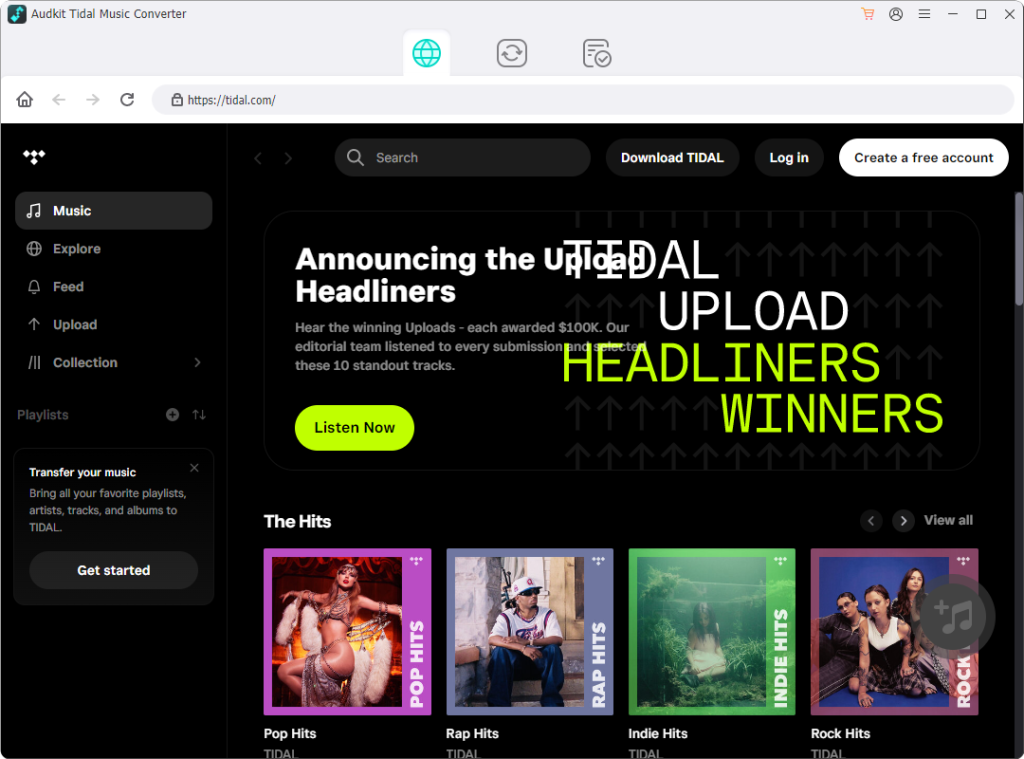
- Zero-Maintenance Stability: It replaces brittle manual token captures with an integrated web-player interface. No terminal debugging, no dependency conflicts, and no failed authentication scripts.
- Bit-Perfect Audio Extraction: Downloads retain 100% original stream integrity, supporting up to 24-bit/192 kHz HiRes FLAC and uncompressed WAV alongside full ID3v2 tags, track sequencing, and high-resolution cover art.
- High-Speed Batch Processing: Windows users benefit from up to 5X accelerated conversion speeds, allowing complete discographies and multi-hour playlists to download smoothly without triggering API throttling.
- Unrestricted Local Ownership: Output files are formatted for standard local storage, making them instantly compatible with high-resolution digital audio players (DAPs), car stereo USBs, and DJ software like Rekordbox.
How to Convert Tidal Music for Offline Playback
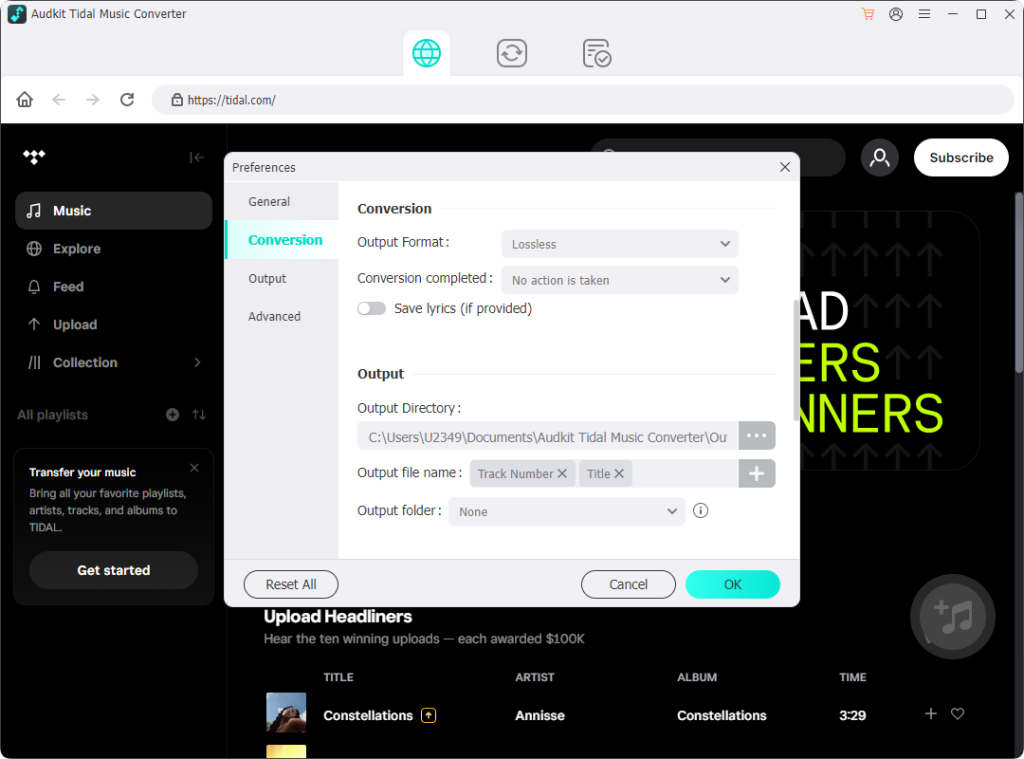
- Launch the Software: Install AudKit Tidal Music Converter on your PC or Mac, then log into your account using the built-in Tidal web player.
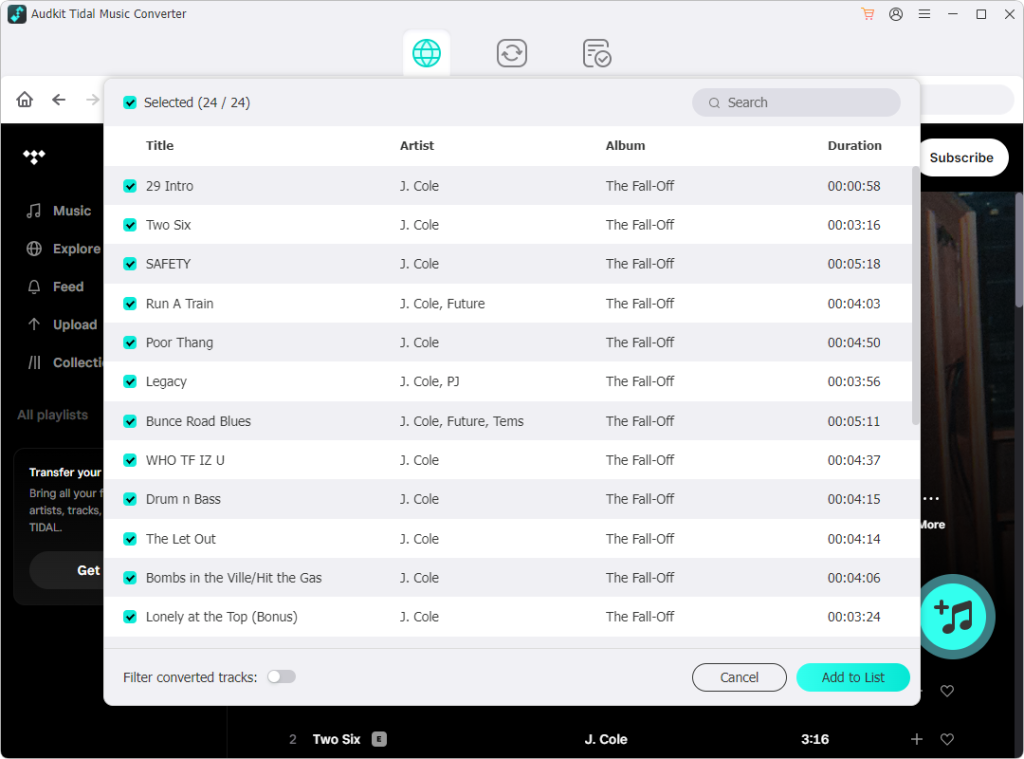
- Set Audio Parameters: Navigate to Preferences > Convert. Choose your desired output format (such as lossless FLAC, WAV, or MP3) and configure your target bit depth and sample rate.
- Load and Convert: Browse your library, open any album or playlist, click the + button to import the tracks, and select Convert to save the audio locally.
To understand how AudKit’s graphical workflow compares with developer-oriented CLI tools on a technical level, the breakdown below evaluates their key differences.
Comparison: CLI Utility vs. Desktop Converter
| Feature / Criteria | Tiddl (Python CLI Tool) | AudKit Tidal Music Converter |
|---|---|---|
| Setup & Deployment | Manual setup via Python, pip, and terminal commands | One-click installation package for Windows and macOS |
| User Interface | Text-only terminal shell; requires manual command flags | Visual desktop interface with drag-and-drop playlist parsing |
| API Stability | Uses static web tokens; vulnerable to backend changes | Sandboxed web integration with actively maintained protocol updates |
| Processing Speed | Standard single-stream network retrieval | Accelerated batch conversion up to 5x real-time speed |
| Audio Quality & Formats | Raw FLAC or AAC streams based on session flags | Lossless 24-bit/192 kHz FLAC, WAV, AAC, and MP3 |
| Maintenance | Community-driven; updates pause if maintainers go inactive | Commercial support with continuous backend compatibility fixes |
Tiddl remains an accessible option for developers who enjoy working in terminal environments and debugging script dependencies. However, streaming platforms constantly update their backend architecture. When authentication handshakes change, command-line scripts inevitably stall. Manual maintenance can quickly become a chore.
AudKit Tidal Music Converter replaces command-line troubleshooting with a stable, zero-configuration desktop workflow. It automatically captures full ID3 metadata, processes multi-gigabyte queues reliably, and outputs uncompressed FLAC or WAV files ready for external DAPs, USB car stereos, and DJ software. If you prioritize dependable playback access over terminal tinkering, the dedicated desktop converter is the more practical long-term choice.
FAQs About Tiddl and Tidal Converters
Why does Tiddl show ‘Login Failed’ or ‘Token Expired’ errors after a successful initial setup?
When the service shifts to strict OAuth 2.0 with PKCE authentication, older static session tokens become invalid immediately.
Is it safe to enter my Tidal account credentials into open-source GitHub scripts?
Using such scripts involves non-trivial security risks. You are passing credentials to a local Python environment that lacks formal security audits.
Can I transfer extracted FLAC files to a dedicated Digital Audio Player (DAP) or DJ software?
Yes. You can transfer them to external hardware like Astell&Kern or Sony Walkman players, or import them into DJ software such as Serato or Rekordbox, bypassing proprietary cache limitations and playback restrictions.
How do desktop converters manage API updates differently than manual CLI tools?
While CLI projects rely on infrequent community patches, tools such as AudKit Tidal Music Converter employ dedicated teams to update authentication protocols automatically. This provides continuous functionality and reliability even when Tidal updates its backend architecture to block unauthorized traffic.
Do these conversion tools maintain the original HiRes 24-bit/192 kHz FLAC quality?
They do. Unlike re-recording methods that utilize a virtual soundcard, these utilities perform protocol-level stream extraction. By capturing the raw audio data directly from the server, they preserve the exact bit-depth and sample rate of the original master, ensuring zero loss in fidelity during the conversion process.
Conclusion
Evaluating this Tiddl review and alternatives highlights a clear divide between open-source curiosity and everyday listening convenience.
However, listeners who simply want uncompressed 24-bit HiRes FLAC files for their dedicated DAPs, car stereos, or DJ setups are better served by a maintenance-free workflow. For consistent speed, complete metadata retention, and seamless offline playback without terminal errors, AudKit Tidal Music Converter delivers the reliable, long-term balance most music lovers need.

Andrew Rowley
 Staff Editor
Andrew Rowley has over 10 years of writing experience and is good at writing in audio technology and audio converter software. He can provide high-quality articles to help streaming music lovers explore music better.