





Quick Answer: How to See Your Spotify Wrapped
- Open the Spotify mobile app: Launch Spotify on iOS or Android. During the annual rollout, tap the #SpotifyWrapped banner on your Home screen to launch your personalized story.
- Use the in-app search fallback: If the banner does not appear, go to Search, type
"Wrapped", or tap the Wrapped genre pill on your feed. - Visit the official web hub: Open any desktop or mobile browser and go to spotify.com/wrapped while logged into your account.
- Save your Top Songs playlist: Add your “Your Top Songs” playlist to your library before the campaign banner phases out, or export your tracks locally with a desktop converter for permanent offline playback.
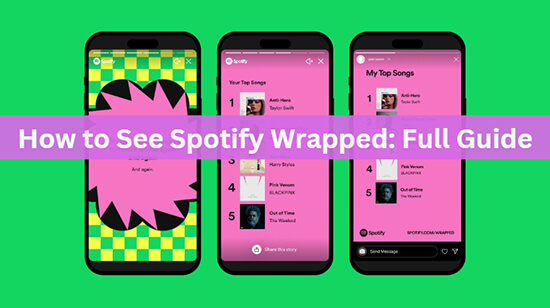
Spotify Wrapped has finally arrived, offering Spotify users a nostalgic journey through their top listening moments of the year. This highly anticipated feature provides a comprehensive recap of each user’s year in audio, including their most streamed artists, songs, genres, and the total minutes listened to. Whether you’re a dedicated pop fan or a casual podcast listener, Wrapped is designed to celebrate the unique soundtrack that has defined your year. So, let’s dive into the details of this year’s Wrapped and explore how you can relive your favorite musical memories.
Part 1. Introduction of Spotify Wrapped
What Is Spotify Wrapped
Spotify Wrapped is an annual marketing campaign by Spotify that allows users to view and share a compilation of data about their activity on the platform over the past year. It offers Spotify users a detailed summary of their listening behavior throughout the year. It provides insights into the user’s top artists, songs, and genres, allowing them to reflect on their music preferences and discover new trends.
When Does Spotify Wrapped Come Out
When is Spotify Wrapped? It is typically released towards the end of the year, allowing users to revisit their musical journey as they approach the new year. The release date may vary, but it is generally available in late November or early December. Spotify Wrapped 2022 was released on November 30, 2022, while Wrapped 2023 was made available to users on November 29, 2023.
When does Spotify Wrapped start/stop counting? Spotify Wrapped starts tracking on January 1st and stops on October 31st every year. This allows Spotify to compile and present the user’s listening habits in time for the release of the Wrapped story.
What’s Included in Spotify Wrapped
Slideshow of Top Songs, Artists, and Podcasts
Wrapped provides a slideshow or story that showcases the songs, artists, and podcasts you’ve listened to the most over the past year.
New Music Discoveries
It also highlights the new music you’ve discovered throughout the year, giving you a chance to revisit those favorite finds.
Total Listening Minutes
It includes an exact count of how many minutes you’ve spent listening to music on Spotify throughout the year.
Top Songs, Albums, and Artists Streamed Globally
It also includes data on the top songs, podcasts, albums, and artists streamed globally, allowing you to compare your listening habits with the broader Spotify community.
Additional Updates and Features of Spotify Wrapped 2023
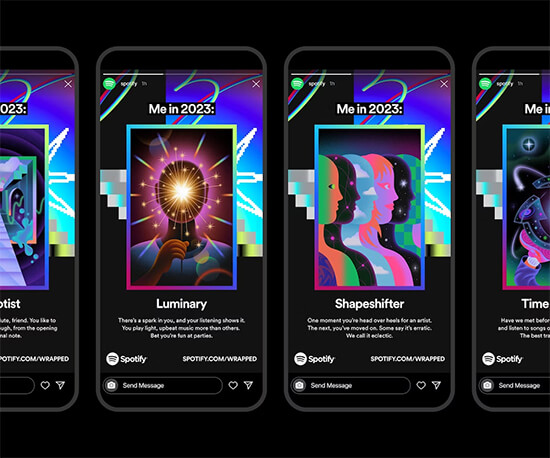
🎊 Me in 2023: This new feature assigns users a listening character specific to their tastes and habits on Spotify, offering a fun and personalized summary of their music journey.
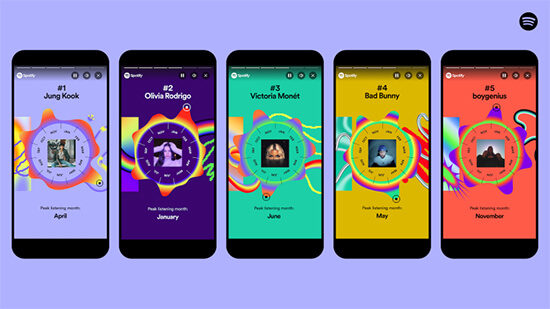
🎊 Top 5 Genres and Top 5 Artists: Wrapped 2023 presents your top five music genres in a fun sandwich-inspired design. It also lets you see the month your listening peaked for each artist, providing a fuller picture of your year on Spotify and the artists that helped soundtrack it.
🎊 Web Access: For the first time, Spotify has made Wrapped statistics available via the web, allowing users to view their results from any browser by logging into their account.
🎊 Integration with AI DJ and Blend Features: Spotify has integrated 2023 Wrapped with its popular AI DJ and Blend features. The Spotify AI DJ guides users through their Wrapped, serving up their music with commentary about their listening habits, while the Blend feature allows users to create a shared playlist of their top songs with friends.
🎊 Sound Town: This feature matches the user’s listening profile with a specific city based on their music history and shared artists’ affinity, adding a new dimension to the user’s music journey.
🎊 Wrapped Feed and Interactive: Spotify has introduced the Wrapped feed on the Spotify Home screen on mobile, offering access to editorial playlists, merch from top artists, concert options, and more. Users can also invite friends to create a Blend with their top songs by tapping the “2023 Wrapped Top Songs” filter to combine their favorites into one shared playlist.
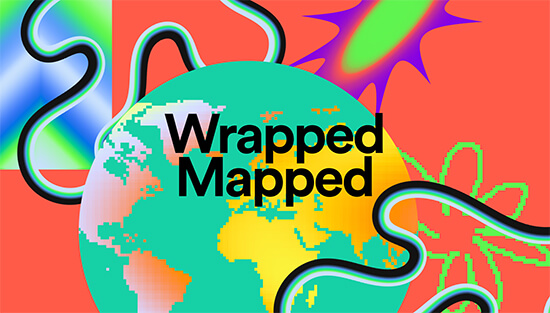
🎊 Wrapped Mapped: It is an interactive map that highlights the top songs streamed around the world. It celebrates local streaming trends from markets around the world, offering a taste of the top songs that have soundtracked 2023 from various countries, including England, Indonesia, and more.
Part 2. How to See Spotify Wrapped 2023
To access your personalized Wrapped 2023, there are various methods available depending on whether you are using a mobile device or a desktop computer. Here are the detailed steps.
How to Get Spotify Wrapped on Mobile
Step 1. Open the Spotify mobile app on your device. Tap on the “Wrapped” bubble or banner on the home screen.
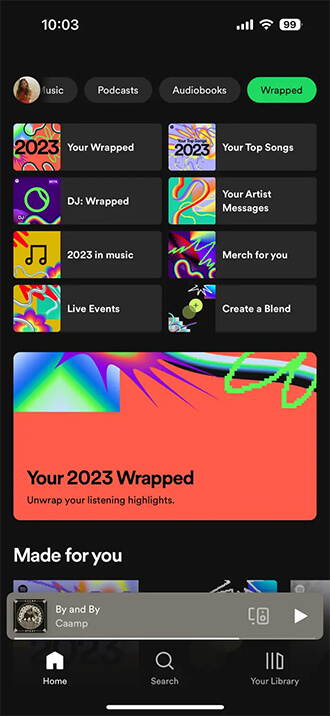
Step 2. Your Wrapped story will open, consisting of 22 parts that showcase your top genres, a map displaying similar listening habits, the total minutes you spent streaming, your top song, and more.
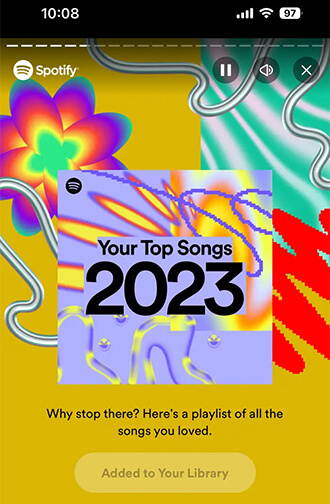
Step 3. When you reach the slide featuring “Your Top Songs 2023” playlist, tap “Add to Your Library” to save the playlist with your top 100 songs of the year.
Step 4. Spotify will also assign you a listening personality based on your streaming habits with the “Me in 2023” feature.
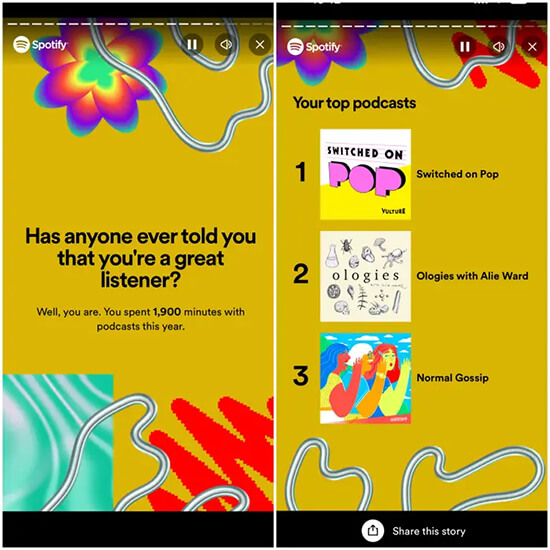
Step 5. If you listen to podcasts, Spotify will include the top podcasts you listened to and the total minutes spent tuned in.
Step 6. To find your “Your Top Songs 2023” playlist, go to the “Your Library” section of the Spotify app, which will contain the 100 songs you listened to the most this year.
How to Find Spotify Wrapped on Desktop
Step 1. Open your web browser and go to the URL spotify.com/wrapped.
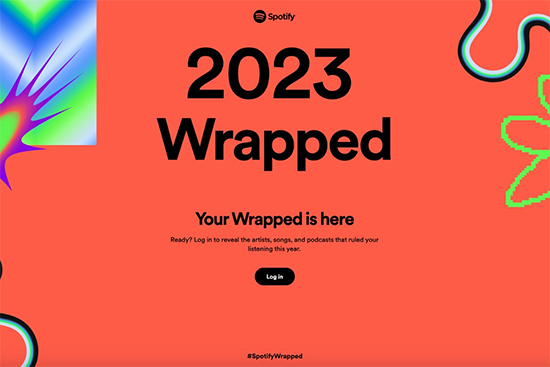
Step 2. Log in to your Spotify account, then you should see your Spotify Wrapped statistics and stories.
Step 3. You can also search for Spotify Wrapped manually in the app by clicking the search button and typing “spotify:datastories:wrapped” or “2023 Wrapped”.
How to Share Spotify Wrapped
Step 1. Find your Wrapped story and click on the “Share” option at the bottom.
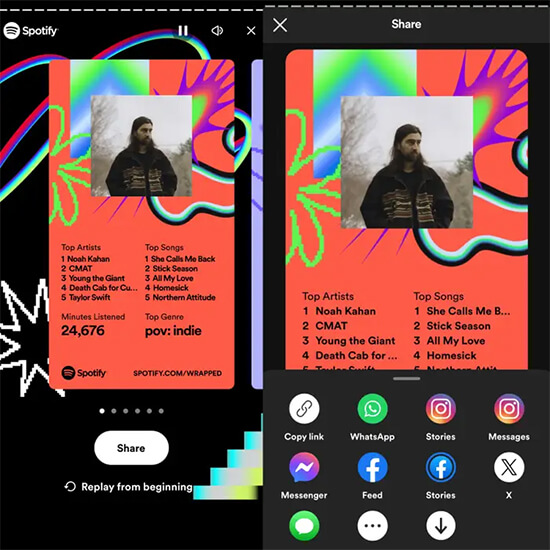
Step 2. Choose the platform or app you want to share your Wrapped with, such as social media, messaging apps, or by copying the link.
See Also: How to Share Spotify Song on Instagram Story
Part 3. Top Artist/Song/Album/Podcast Globally of Wrapped 2023
2023 Wrapped offers a glimpse into the year’s musical and podcasting trends, showcasing the top artists, songs, albums, and podcasts that have resonated globally. Here are the details.
🏆 The Top Global Artists of 2023
- Taylor Swift
- Bad Bunny
- The Weeknd
- Drake
- Peso Pluma
- Feid
- Travis Scott
- SZA
- Karol G
- Lana Del Rey
🏆 The Top Global Songs of 2023
- ‘Flowers’ by Miley Cyrus
- ‘Kill Bill’ by SZA
- ‘As It Was’ by Harry Styles
- ‘Seven (feat. Latto)’ by Jung Kook
- ‘Ella Baila Sola’ by Eslabon Armado, Peso Pluma
- ‘Cruel Summer’ by Taylor Swift
- ‘Creepin’ (with The Weeknd & 21 Savage)’ by Metro Boomin, The Weeknd, 21 Savage
- ‘Calm Down (with Selena Gomez)’ by Rema, Selena Gomez
- ‘Shakira: Bzrp Music Sessions, Vol. 53’ by Bizarrap, Shakira
- ‘Anti-Hero’ by Taylor Swift
🏆 The Top Global Albums of 2023
- Un Verano Sin Ti by Bad Bunny
- Midnights by Taylor Swift
- SOS by SZA
- Starboy by The Weeknd
- MAÑANA SERÁ BONITO by KAROL G
- One Thing at a Time by Morgan Wallen
- Lover by Taylor Swift
- HEROES & VILLAINS by Metro Boomin
- GÉNESIS by Peso Pluma
- Harry’s House by Harry Styles
🏆 The Top Global Podcasts of 2023
- The Joe Rogan Experience
- Call Her Daddy
- Huberman Lab
- anything goes with emma chamberlain
- On Purpose With Jay Shetty
- Crime Junkie
- This Past Weekend w/ Theo Von
- Serial Killers
- The Diary of a CEO with Steven Bartlett
- TED Talks Daily
Part 4. How to Check Spotify Wrapped from Previous Years
SIf you’re looking to revisit your Wrapped memory from previous years and relive your favorite music moments, there are a few ways to do so.
Search for “Your Top Songs” playlists: You can search for playlists titled “Your Top Songs” along with the specific year you’re interested in. For example, searching “Your Top Songs 2022” will likely yield the playlist of your most-played songs from that year.
Use the Wrapped website: Login to your Spotify account on the Spotify website using your desktop browser. Then, open the link to the playlist for the desired year. This method may provide access to some past Wrapped data. Wrapped 2022, Wrapped 2021, Wrapped 2020, Wrapped 2019, Wrapped 2018, Wrapped 2017.
Explore third-party platforms: If you’re looking for more comprehensive and detailed stats from previous years, you can consider using third-party platforms like Last.fm. Last.fm monitors your listening habits and provides in-depth statistics, making it a great option for tracking your music history.
Part 5. How to Download Top Spotify Wrapped Songs without Premium
Spotify Wrapped stats showcases your top artists, songs, and genres to reminisce about your favorite music moments. To download Wrapped Spotify songs without a Premium subscription, AudKit Spotify Music Converter can be a desirable option as it allows users to download songs, albums, podcasts, and artists from their Spotify Wrapped as local files, even with a free subscription.
By leveraging advanced decryption technology, the software can remove the lock from Spotify tracks, enabling users to save Spotify music as MP3, FLAC, AAC, and more. Furthermore, the software enables batch downloading at high speeds and you get lossless downloads of your Spotify Wrapped 2023 songs and choose the output quality to suit your preferences.
Main Features of AudKit Spotify Music Converter
- Download Spotify Wrapped songs, playlists, albums, and podcasts without Premium
- Convert Spotify songs to MP3, FLAC, WAV, AAC, etc. losslessly
- customize output quality, like bit rate, sample rate, etc.
- Keep full metadata info and ID3 tags for Wrapped songs
How to Download Top Spotify Wrapped Songs without Premium
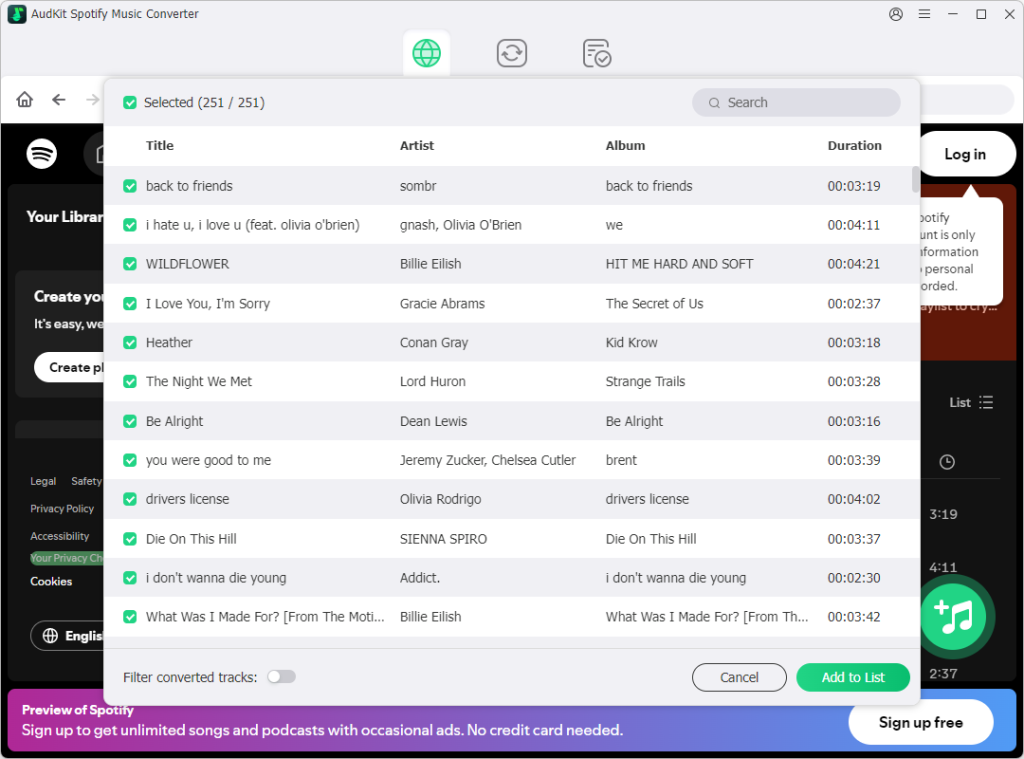
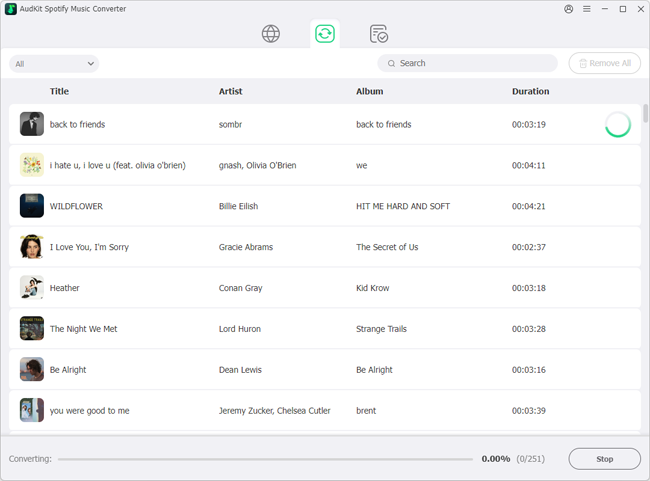
Step 1: Launch the AudKit Spotify Music Downloader software and drag and drop the Spotify Wrapped songs, playlists, or albums you want to download into the AudKit interface. Alternatively, you can paste the Wrapped track links into the search box and click the “Add” button.
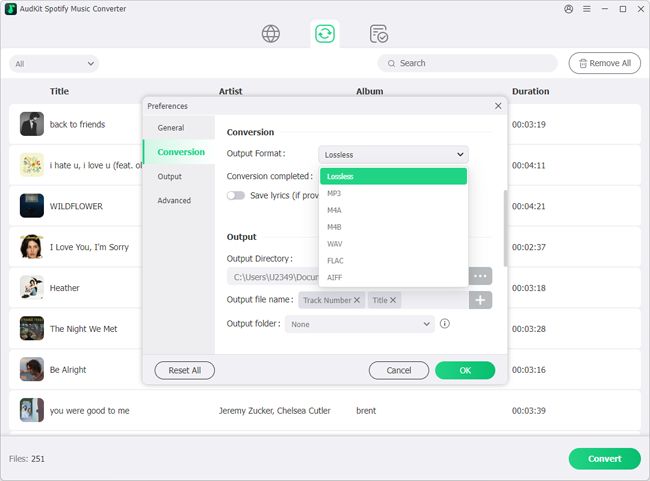
Step 2: Click on the menu icon located at the top right corner and select “Preferences“. In the Convert window, choose the desired output format, like MP3, AAC, FLAC, WAV, etc., and customize other parameters such as sound quality, channel, and bit rate for Wrapped Spotify songs.
Step 3: Click on the “Convert” button to start the download process and it will begin downloading the top Spotify songs without the need for a Premium account. Once the download is complete, you can find the downloaded songs in the output folder. Then you can keep your favorite Spotify songs forever and play Wrapped track offline on any device for free.
Troubleshooting: Why Isn’t Spotify Wrapped Showing Up and How to Fix It
If the Spotify Wrapped banner does not show up on your Home tab, high server traffic, pending app updates, or temporary cache conflicts are usually responsible.
Use these steps to resolve display issues:
- Update the Spotify App: Wrapped features require the latest app build. Head to the Apple App Store or Google Play Store and update Spotify to the newest release.
- Clear App Cache: Outdated cached files can block dynamic promotional cards. Go to Settings and privacy > Storage in Spotify and tap Clear cache. This refreshes the feed without deleting your downloaded songs.
- Force Restart the App: Close Spotify from your device’s multitasking app switcher, toggle Airplane Mode on and off to reset network connections, and open the app again.
- Confirm Account Eligibility: Ensure you are logged into your primary listening profile. Accounts created late in the year or with fewer than 30 played songs may not meet the threshold needed to generate a recap.
Fallback Deep Links and Manual Access
If the banner still does not load on your screen, use these direct links:
- Official Web Link: Go to
spotify.com/wrappedin your mobile browser, which will redirect you into the app’s story presentation. - In-App URI Scheme: Type
spotify:datastories:wrappedinto your mobile browser or the Spotify search bar to trigger the presentation directly. - Search Tab Shortcut: Type
"Wrapped"in the Spotify search field and open the top genre result to access your stories and playlists.
Once your story loads, save your Your Top Songs playlist right away. If you wish to protect your annual collection from future catalog removals, you can use AudKit Spotify Music Converter to store the tracks permanently on your personal devices.
Part 6. In Conclusion
Spotify Wrapped offers users a fun and personalized way to look back on their years in music. With a range of insights and new features, Spotify Wrapped provides a comprehensive overview of users’ listening habits and favorite music moments. So, don’t miss out on the opportunity to relive your favorite musical moments and share your Wrapped highlights with the world.

Andrew Rowley
 Staff Editor
waitting